Back to Articles
GitHub
|4 min read|

Chrome DevTools for coding agents

Chrome DevTools for coding agents
Trending Society

AI Overview

  • AI agents control live Chrome browsers.
  • Offers in-depth debugging and performance.
  • Automates actions using Puppeteer.
  • Integrates with Gemini, Claude, Cursor.
  • Supports Node.js v20.19 or newer.
AI agents can now control and inspect live Chrome browsers, thanks to the public preview of Chrome DevTools MCP, introduced by Google AI. This Model-Context-Protocol (MCP) server integrates directly with popular coding assistants like Gemini, Claude, and Cursor, transforming web development workflows by automating browser interactions, debugging, and performance analysis. Developers can now offload tedious testing and inspection tasks to AI, accelerating the pace of web innovation.

Unleashing Agent Control on the Browser

Imagine a developer asking their AI assistant to "find out why this page is slow" or "test this new user flow." Instead of merely analyzing code, the AI can now open a live Chrome browser, navigate, click elements, fill forms, and even analyze network requests. This capability comes from Chrome DevTools MCP, a tool that effectively gives AI agents eyes and hands in the browser, making them powerful partners in web development.

The Model-Context-Protocol (MCP) server acts as a bridge, allowing AI coding assistants to access the full suite of Chrome DevTools functionality. This includes recording traces to extract actionable performance insights, analyzing network requests, taking screenshots, and inspecting browser console messages with source-mapped stack traces. This functionality promises to automate web debugging, offering a practical guide for developers.
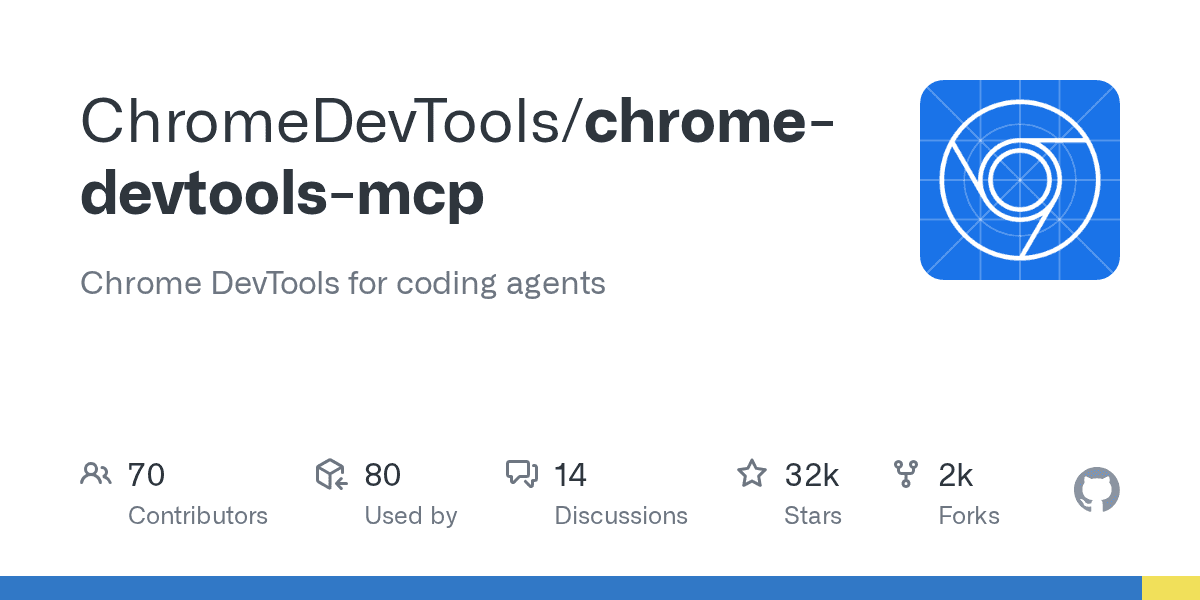
The underlying automation leverages Puppeteer, enabling reliable automation and automatically waiting for action results. This level of control means AI can perform tasks like input automation (9 tools), navigation (6 tools), emulation (2 tools), performance analysis (4 tools), network inspection (2 tools), and debugging (6 tools), totaling over 20 specialized tools. The project has garnered significant community interest, reflected in its 31.9k stars on GitHub.

Integrating AI into Everyday Workflows

The power of Chrome DevTools MCP lies in its broad integration with popular AI coding agents and development environments. It supports clients like Amp, Antigravity, Claude Code, Cline, Codex, Command Code, Copilot CLI, Cursor, Factory CLI, Gemini CLI, Gemini Code Assist, JetBrains AI Assistant, Junie, Kiro, Katalon Studio, OpenCode, Qoder, Visual Studio, Warp, and Windsurf. This wide adoption ensures developers can seamlessly incorporate browser control into their existing AI-powered workflows.

Google's introduction of Gemini CLI extensions further underscores this integration strategy. Developers can make the Gemini CLI uniquely their own by connecting it to everyday tools and workflows. For instance, configuring Gemini CLI to use Chrome DevTools MCP allows AI to perform browser-based tasks directly from the command line, customizing developer experience and boosting efficiency. This deep integration makes the AI a true extension of the developer's toolkit.

Security, Data, and Advanced Usage

While Chrome DevTools MCP brings immense utility, developers must understand its disclaimers. The tool exposes browser content to MCP clients, allowing inspection, debugging, and modification of any browser data. Users should avoid sharing sensitive information if they do not wish for it to be accessible by MCP clients. The tool officially supports Google Chrome and Chrome for Testing, requiring Node.js v20.19 or newer.

For advanced use cases, developers can connect Chrome DevTools MCP to a running Chrome instance. This is particularly useful for maintaining application state, signing into websites that block WebDriver-controlled browsers, or connecting to Chrome from a sandboxed environment. Options like `--autoConnect` (for Chrome version 144+) allow automatic connection to a running browser, while `--browserUrl` facilitates manual connection via a remote debugging port. Users should exercise caution when enabling remote debugging, as it opens up a port that other applications can access.

The Trending Society Take

Chrome DevTools MCP marks a pivotal shift for web development, pushing AI from code generation to active, interactive testing. Founders and builders in the AI and content infrastructure space should recognize this as a foundational component for next-generation developer tooling, enabling unprecedented levels of automation and insight into web applications. This is how we build smarter, faster, and with less manual friction.

FAQ

Chrome DevTools MCP (Model-Context-Protocol) is a tool that allows AI agents to control and inspect live Chrome browsers, enabling automated browser interactions, debugging, and performance analysis. It acts as a bridge, giving AI coding assistants access to Chrome DevTools functionalities like recording traces, analyzing network requests, and inspecting console messages.

Chrome DevTools MCP integrates directly with popular coding assistants like Gemini, Claude, and Cursor, allowing developers to incorporate browser control into their existing AI-powered workflows. This integration enables AI to perform tasks like navigating web pages, clicking elements, filling forms, and analyzing network requests within a live Chrome browser.

Using Chrome DevTools MCP, AI agents can automate a variety of web development tasks, including input automation, navigation, emulation, performance analysis, network inspection, and debugging. This includes actions like finding the cause of slow page load times or testing new user flows by interacting directly with a live Chrome browser.

Chrome DevTools MCP leverages Puppeteer for reliable browser automation, ensuring actions are completed and results are automatically waited for. This allows AI agents to perform tasks like input automation, navigation, and performance analysis with a high degree of reliability.

Chrome DevTools MCP supports a wide range of AI coding assistants and development environments, including Amp, Antigravity, Claude Code, Cursor, Gemini CLI, JetBrains AI Assistant, Visual Studio, and more. This broad compatibility ensures developers can seamlessly integrate browser control into their preferred AI-powered workflows.

Related Articles

More insights on trending topics and technology

Newsletter

Stay informed without the noise.

Daily AI updates for builders. No clickbait. Just what matters.