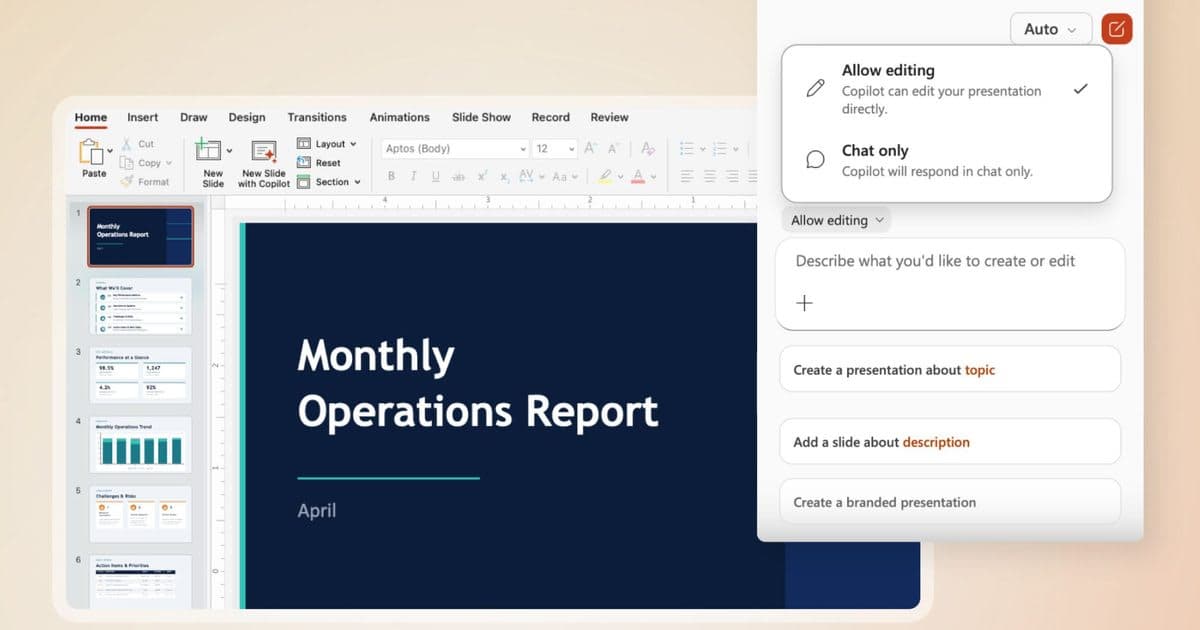
Microsoft is deploying "Agent Mode" across Word, Excel, and PowerPoint this week, fundamentally shifting Copilot from a passive assistant to an active agent capable of directly editing documents. This new capability, termed "vibe working," is now the default experience for Microsoft 365 Copilot and Premium subscribers, as well as Personal and Family plans, as of April 2026.
The update elevates Copilot's functionality beyond simple query answering, enabling it to execute complex edits and multi-step reasoning directly within Office applications. This represents a significant leap from its initial launch, where the underlying AI models lacked the sophistication to command applications directly.
Agent Mode's introduction marks a pivotal moment for productivity tools, offering users a more integrated and autonomous AI assistant. It streamlines workflows by allowing Copilot to proactively draft, restructure, analyze, and present information with transparency and user oversight.
What Does Agent Mode Enable in Office Apps?
Previously, Copilot primarily functioned as a passive assistant, capable of answering questions but limited in its ability to take direct action within documents. Microsoft President of the Office Product Group, Sumit Chauhan, acknowledged this gap, stating that early AI models were not powerful enough to command applications effectively. Improvements in instruction following and multi-step reasoning have paved the way for Agent Mode's launch."When we first shipped Copilot, foundation models were not powerful enough to use Copilot to command the applications."With Agent Mode, users see every step Copilot takes in real-time through a sidebar, maintaining transparency and control. In Word, it can draft new content, rewrite existing sections, restructure entire documents, and adjust tone. For Excel, the AI makes changes directly inside workbooks, adding formulas, generating tables, and creating visuals to transform raw data into actionable insights.
— Sumit Chauhan, President of the Office Product Group, Microsoft
PowerPoint benefits from Agent Mode by updating existing presentations with fresh information while adhering to company templates and styling. Early internal data from Microsoft illustrates the impact: engagement in Excel surged 67%, user satisfaction rose by 65%, and new user retention increased by 50%.
How Microsoft is Expanding AI Integration
The rollout of Agent Mode is part of a broader, company-wide initiative by Microsoft to embed advanced AI capabilities across its product ecosystem. CEO Satya Nadella has reportedly launched a "Code Red" overhaul of Copilot, centralizing leadership and product strategy to accelerate its adoption across both consumer and commercial fronts. This reorganization aims to unify efforts under a single vision, promoting key leaders like Jacob Andreou to EVP for the Copilot experience and freeing Mustafa Suleyman to focus on model development.This strategic shift emphasizes four interconnected pillars: the Copilot experience, the Copilot platform, Microsoft 365 applications, and AI models. Looking ahead, Microsoft plans deeper editing for complex workflows and enhanced transparency around Copilot's changes. The company is also integrating AI agents into the Windows 11 taskbar, supporting both Microsoft's own and third-party agents to assist with diverse workflows and track progress. This signals a future where AI agents become a more ingrained, proactive element of the entire computing experience.