
Open Sources
Curated repos, tools, and frameworks shaping the developer ecosystem.
Live data from GitHub.
Curated repos, tools, and frameworks shaping the developer ecosystem.
Live data from GitHub.
by Alishahryar1
Use Claude Code, Codex and Pi for free from your terminal, app, IDE, or phone like OpenClaw (voice supported)

Use Claude Code, Codex, Pi, or their IDE extensions through your own provider-backed proxy.
Run your coding agents with free, paid, or local models. Choose and validate providers from one local Admin UI.
Quick Start · Providers · Clients · Integrations · Manage
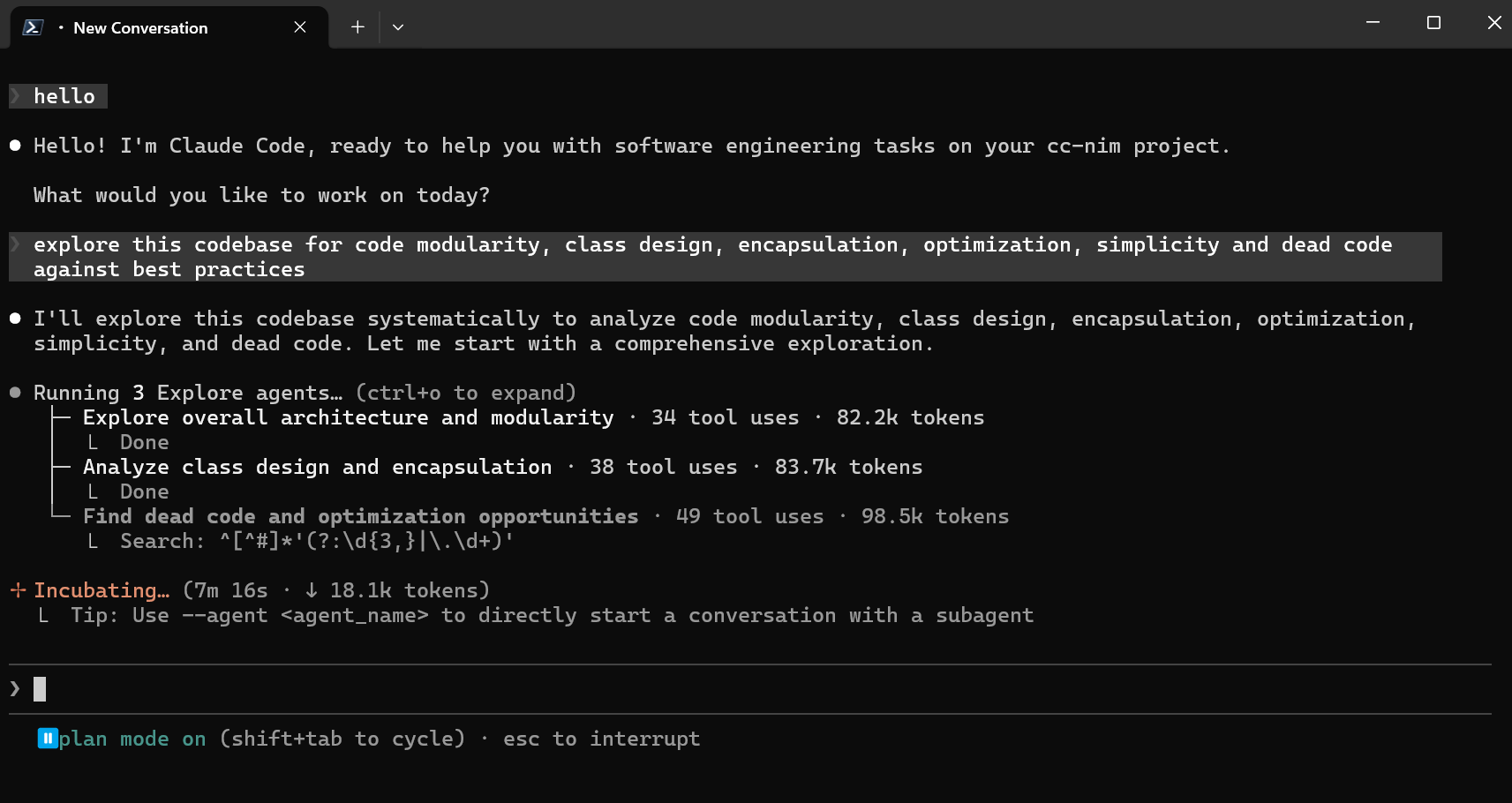
Claude Code running through the Free Claude Code proxy.
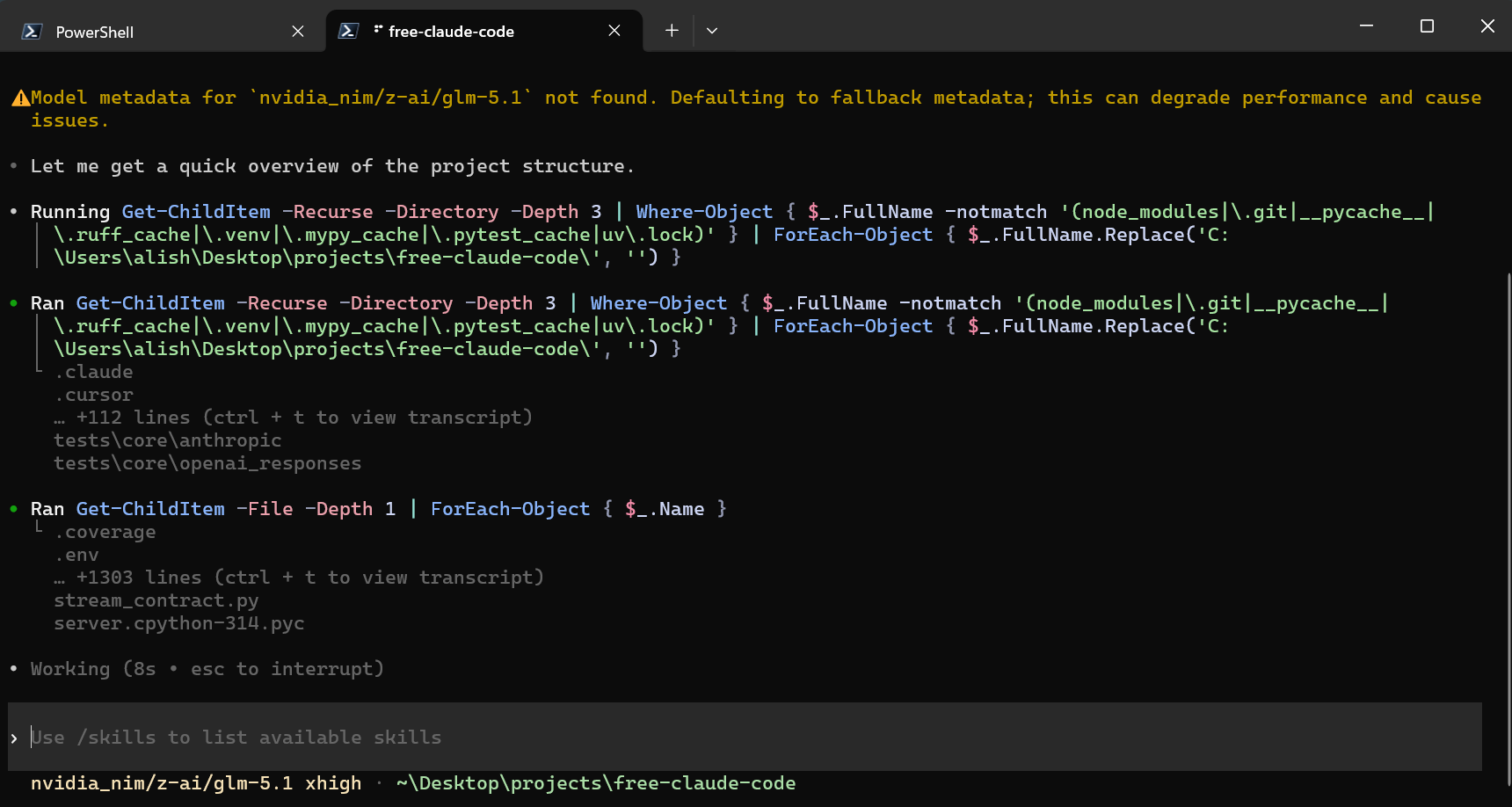
Codex CLI using the local FCC Responses provider.
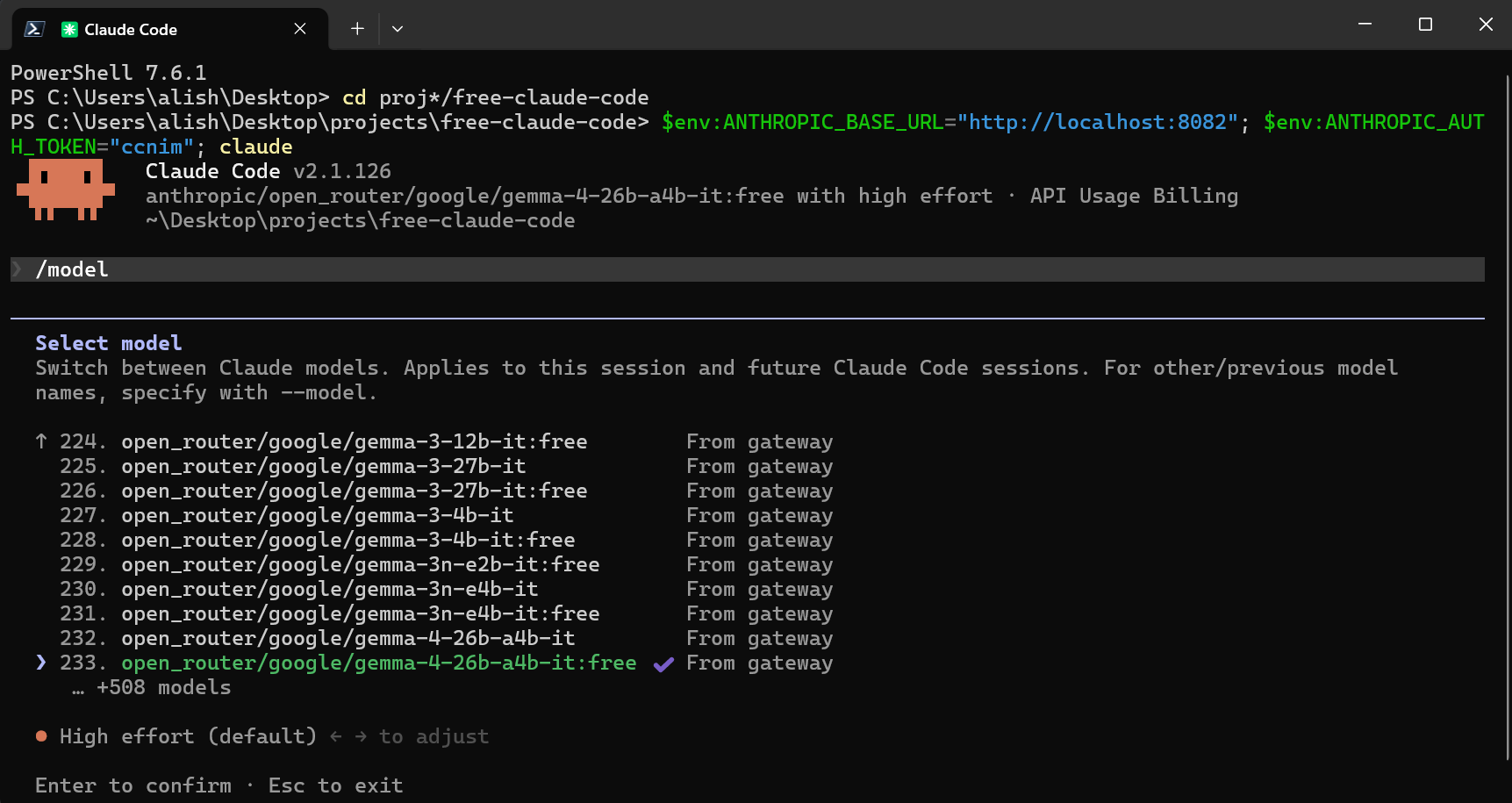
Claude Code native /model picker with FCC gateway models.
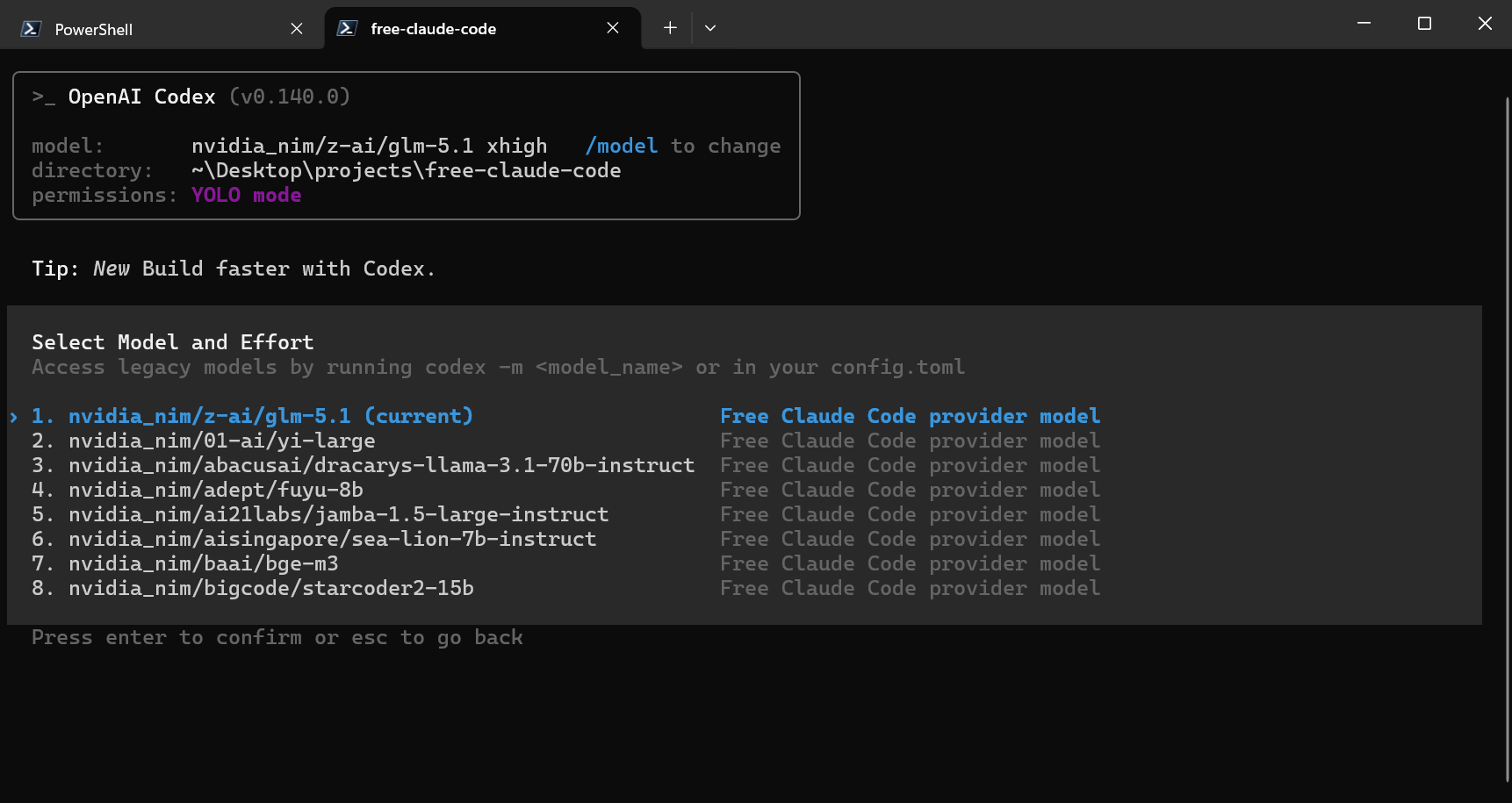
Codex native /model picker with the generated FCC catalog.
fcc-claude, Codex with fcc-codex, or Pi with fcc-pi.macOS/Linux:
curl -fsSL "https://raw.githubusercontent.com/Alishahryar1/free-claude-code/main/scripts/install.sh" | sh
Windows PowerShell:
& ([scriptblock]::Create((irm "https://raw.githubusercontent.com/Alishahryar1/free-claude-code/main/scripts/install.ps1")))
Re-run the same command whenever you want to update. You can review the installers before running them: install.sh and install.ps1.
The installer asks which coding agents to install or verify. Choose at least one; skipped agents are left unchanged.
Open Free Claude Code from your desktop or Start menu.
Open Free Claude Code from your desktop or Applications folder.
Run:
fcc-server
On Windows and macOS, FCC runs in the system tray or menu bar without opening a terminal. Use its menu to open Admin, check server status, restart, or quit. On Windows, left-clicking the tray icon opens Admin directly.
To print the installed Free Claude Code version without starting the server,
run fcc-server --version.
When using fcc-server, keep the terminal open. The Admin UI opens in your
browser once the server is healthy by default. Its address is shown in the
startup log:
INFO: Admin UI: http://127.0.0.1:8082/admin (local-only)
Use the port shown in your terminal if it differs from 8082.
NVIDIA_NIM_API_KEY.MODEL on the default nvidia_nim/nvidia/nemotron-3-super-120b-a12b, or search the model dropdown and select another model.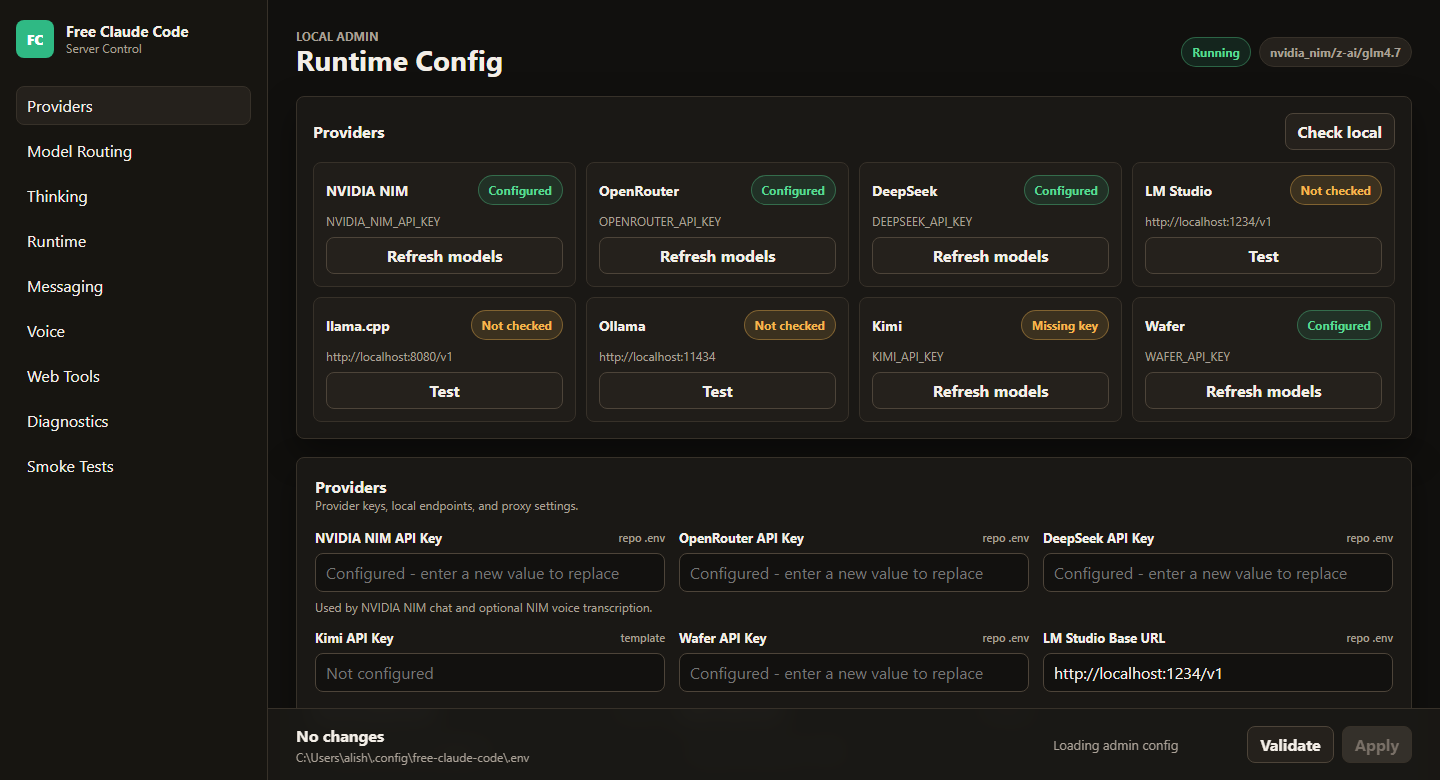
Claude Code:
fcc-claude
Codex:
fcc-codex
Pi:
fcc-pi
All three launchers use the current Admin UI settings. Use the agent's model picker to choose from the models FCC exposes. Normal CLI arguments still work, for example:
fcc-codex exec "hello"
fcc-pi registers FCC only for that Pi process; your existing Pi settings, sessions, credentials, and extensions remain unchanged.
MODEL dropdown and select a model. If the provider cannot list
models, enter <provider-id>/<exact-provider-model-id> manually.| Provider | Admin UI setting | Example MODEL |
|---|---|---|
| NVIDIA NIM | NVIDIA_NIM_API_KEY | nvidia_nim/nvidia/nemotron-3-super-120b-a12b |
| OpenAI / ChatGPT | Connect ChatGPT in the Admin UI | openai/<model-id> |
| Azure OpenAI | AZURE_OPENAI_API_KEY and AZURE_OPENAI_BASE_URL | azure_openai/<deployment-name> |
| OpenRouter | OPENROUTER_API_KEY | open_router/openrouter/free |
| Google AI Studio (Gemini) | GEMINI_API_KEY | gemini/models/gemini-3.1-flash-lite |
| Google Vertex AI | VERTEX_PROJECT_ID + ADC | vertex/google/gemini-3.5-flash |
| DeepSeek | DEEPSEEK_API_KEY | deepseek/deepseek-chat |
| Mistral La Plateforme | MISTRAL_API_KEY | mistral/devstral-small-latest |
| Mistral Codestral | CODESTRAL_API_KEY | mistral_codestral/codestral-latest |
| OpenCode Zen | OPENCODE_API_KEY | opencode/gpt-5.3-codex |
| OpenCode Go | OPENCODE_API_KEY | opencode_go/minimax-m2.7 |
| Vercel AI Gateway | AI_GATEWAY_API_KEY | vercel/openai/gpt-5.5 |
| Amazon Bedrock | AWS_BEARER_TOKEN_BEDROCK | bedrock/openai.gpt-oss-120b |
| Hugging Face Inference Providers | HUGGINGFACE_API_KEY | huggingface/Qwen/Qwen3-Coder-480B-A35B-Instruct:fastest |
| Cohere | COHERE_API_KEY | cohere/command-a-plus-05-2026 |
| GitHub Models | GITHUB_MODELS_TOKEN | github_models/openai/gpt-4.1 |
| Wafer | WAFER_API_KEY | wafer/DeepSeek-V4-Pro |
| Kimi API | KIMI_API_KEY | kimi/kimi-k2.5 |
| Kimi Code | KIMI_CODE_API_KEY | kimi_code/k3 |
| MiniMax | MINIMAX_API_KEY | minimax/MiniMax-M3 |
| Cerebras Inference | CEREBRAS_API_KEY | cerebras/gpt-oss-120b |
| Groq | GROQ_API_KEY | groq/llama-3.3-70b-versatile |
| SambaNova | SAMBANOVA_API_KEY | sambanova/Meta-Llama-3.3-70B-Instruct |
| Kilo.ai | KILO_API_KEY | kilo/kilo-auto/free |
| Fireworks AI | FIREWORKS_API_KEY | fireworks/accounts/fireworks/models/llama-v3p3-70b-instruct |
| Cloudflare Workers AI | CLOUDFLARE_API_TOKEN and CLOUDFLARE_ACCOUNT_ID | cloudflare/@cf/moonshotai/kimi-k2.6 |
| Z.ai | ZAI_API_KEY | zai/glm-5.2 |
| Ollama Cloud | OLLAMA_API_KEY | ollama_cloud/qwen3-coder:480b |
| LM Studio | LM_STUDIO_BASE_URL | lmstudio/<model-id> |
| llama.cpp | LLAMACPP_BASE_URL | llamacpp/<model-id> |
| Ollama | OLLAMA_BASE_URL | ollama/<model-tag> |
Important provider notes:
~/.fcc/auth/ and leaves Codex login untouched. Restart
an already-running agent after connecting to refresh its model picker.AZURE_OPENAI_BASE_URL to its complete v1 endpoint, such as
https://YOUR-RESOURCE-NAME.openai.azure.com/openai/v1/, and select a
deployment that supports Chat Completions. Azure does not expose custom
deployment names through its data-plane model list, so enter the deployment
name as a custom model slug.kimi_code/; Kimi API credit keys use
kimi/. Kimi Code plans are for personal interactive coding-agent use under
Kimi's community guidelines.OPENCODE_API_KEY but use different model prefixes.BEDROCK_BASE_URL to the endpoint for the same region as the API key and
select one of the models returned by FCC's model picker.gcloud auth application-default login once; service-account
files and attached service accounts also work. Set VERTEX_PROJECT_ID, and
optionally change VERTEX_LOCATION from its global default. FCC refreshes
expiring access tokens automatically.ollama.com; use the exact model IDs shown
by FCC's model picker. Local Ollama remains available through the separate
ollama/ prefix.Start LM Studio's local server, load a tool-capable model, and use the model identifier shown by LM Studio with the lmstudio/ prefix. The default URL is http://localhost:1234/v1.
Start llama-server with its OpenAI-compatible Chat Completions API and enough context for the model. Use the local model ID with the llamacpp/ prefix. LLAMACPP_BASE_URL defaults to http://localhost:8080/v1; FCC accepts either the server root or an explicit /v1 suffix.
ollama pull llama3.1
ollama serve
Use the tag shown by ollama list with the ollama/ prefix. OLLAMA_BASE_URL defaults to http://localhost:11434; FCC accepts either the root URL or an explicit /v1 suffix.
MODEL is the fallback for every request. Select a model for MODEL_FABLE, MODEL_OPUS, MODEL_SONNET, or MODEL_HAIKU to override an individual Claude Code tier; select None to use MODEL.
For example, route Opus to nvidia_nim/nvidia/nemotron-3-super-120b-a12b, Sonnet to open_router/openrouter/free, Haiku to lmstudio/qwen3.5-coder, and keep MODEL on zai/glm-5.2.
Open Admin UI → Model Config → Reasoning and select the behavior you want.
| Selection | Behavior |
|---|---|
| From client (default) | Use the effort sent by Claude Code, Codex, or Pi. If none is sent, keep the provider default. |
| Off | Request reasoning to be disabled. |
| Low, Medium, High, X-High, or Max | Override the client with the selected reasoning level. |
| Inherit (Fable, Opus, Sonnet, and Haiku only) | Use the root Reasoning selection. |
Providers that do not support a selected control retain their own behavior.
For terminal use, start fcc-server, then run fcc-claude, fcc-codex, or fcc-pi. Use the guides below for editor integrations.
Install the Claude Code extension. Open VS Code's user settings as JSON and add:
"claudeCode.disableLoginPrompt": true,
"claudeCode.environmentVariables": [
  { "name": "ANTHROPIC_BASE_URL", "value": "http://localhost:8082" },
  { "name": "ANTHROPIC_AUTH_TOKEN", "value": "freecc" },
  { "name": "CLAUDE_CODE_ENABLE_GATEWAY_MODEL_DISCOVERY", "value": "1" },
  { "name": "CLAUDE_CODE_AUTO_COMPACT_WINDOW", "value": "190000" },
  { "name": "DISABLE_AUTOUPDATER", "value": "1" },
  { "name": "DISABLE_FEEDBACK_COMMAND", "value": "1" },
  { "name": "DISABLE_ERROR_REPORTING", "value": "1" }
]
Match the port and authentication token to the Admin UI, then reload the extension.
Start FCC, then add its provider and generated model catalog to your user-level Codex configuration.
Windows — edit %USERPROFILE%\.codex\config.toml and replace YOUR_USERNAME:
model_provider = "fcc"
model = "nvidia_nim/nvidia/nemotron-3-super-120b-a12b"
model_catalog_json = "C:/Users/YOUR_USERNAME/.fcc/codex-model-catalog.json"

[model_providers.fcc]
name = "Free Claude Code"
base_url = "http://127.0.0.1:8082/v1"
http_headers = { Authorization = "Bearer freecc" }
wire_api = "responses"
macOS — edit ~/.codex/config.toml and replace YOUR_USERNAME:
model_provider = "fcc"
model = "nvidia_nim/nvidia/nemotron-3-super-120b-a12b"
model_catalog_json = "/Users/YOUR_USERNAME/.fcc/codex-model-catalog.json"

[model_providers.fcc]
name = "Free Claude Code"
base_url = "http://127.0.0.1:8082/v1"
http_headers = { Authorization = "Bearer freecc" }
wire_api = "responses"
Match the model, port, and bearer token to the Admin UI. Restart the Codex App after setup or model changes, then use its model picker to select any FCC provider/model slug.
Install the Codex extension. Create or edit ~/.codex/config.toml (%USERPROFILE%\.codex\config.toml on Windows):
model_provider = "fcc"
model = "nvidia_nim/nvidia/nemotron-3-super-120b-a12b"

[model_providers.fcc]
name = "Free Claude Code"
base_url = "http://127.0.0.1:8082/v1"
http_headers = { Authorization = "Bearer freecc" }
wire_api = "responses"
Match model, the port, and bearer token to the Admin UI, then restart VS Code. For WSL-backed Codex, edit the file inside WSL.
Edit the installed Claude ACP configuration:
C:\Users\%USERNAME%\AppData\Roaming\JetBrains\acp-agents\installed.json~/.jetbrains/acp.jsonSet the environment for acp.registry.claude-acp:
"env": {
  "ANTHROPIC_BASE_URL": "http://localhost:8082",
  "ANTHROPIC_AUTH_TOKEN": "freecc",
  "CLAUDE_CODE_ENABLE_GATEWAY_MODEL_DISCOVERY": "1",
  "CLAUDE_CODE_AUTO_COMPACT_WINDOW": "190000",
  "DISABLE_AUTOUPDATER": "1",
  "DISABLE_FEEDBACK_COMMAND": "1",
  "DISABLE_ERROR_REPORTING": "1"
}
Match the port and token to the Admin UI, then restart the IDE.
If Claude Code asks you to log in after you configure the FCC URL and token, open its state file:
%USERPROFILE%\.claude.json~/.claude.jsonMerge this property into the existing JSON without removing its other fields:
"hasCompletedOnboarding": true
If the file does not exist, create it with a complete JSON object:
{
  "hasCompletedOnboarding": true
}
Restart Claude Code or the IDE after saving the file.
Configure integrations from Admin UI → Messaging, then click Validate and Apply.
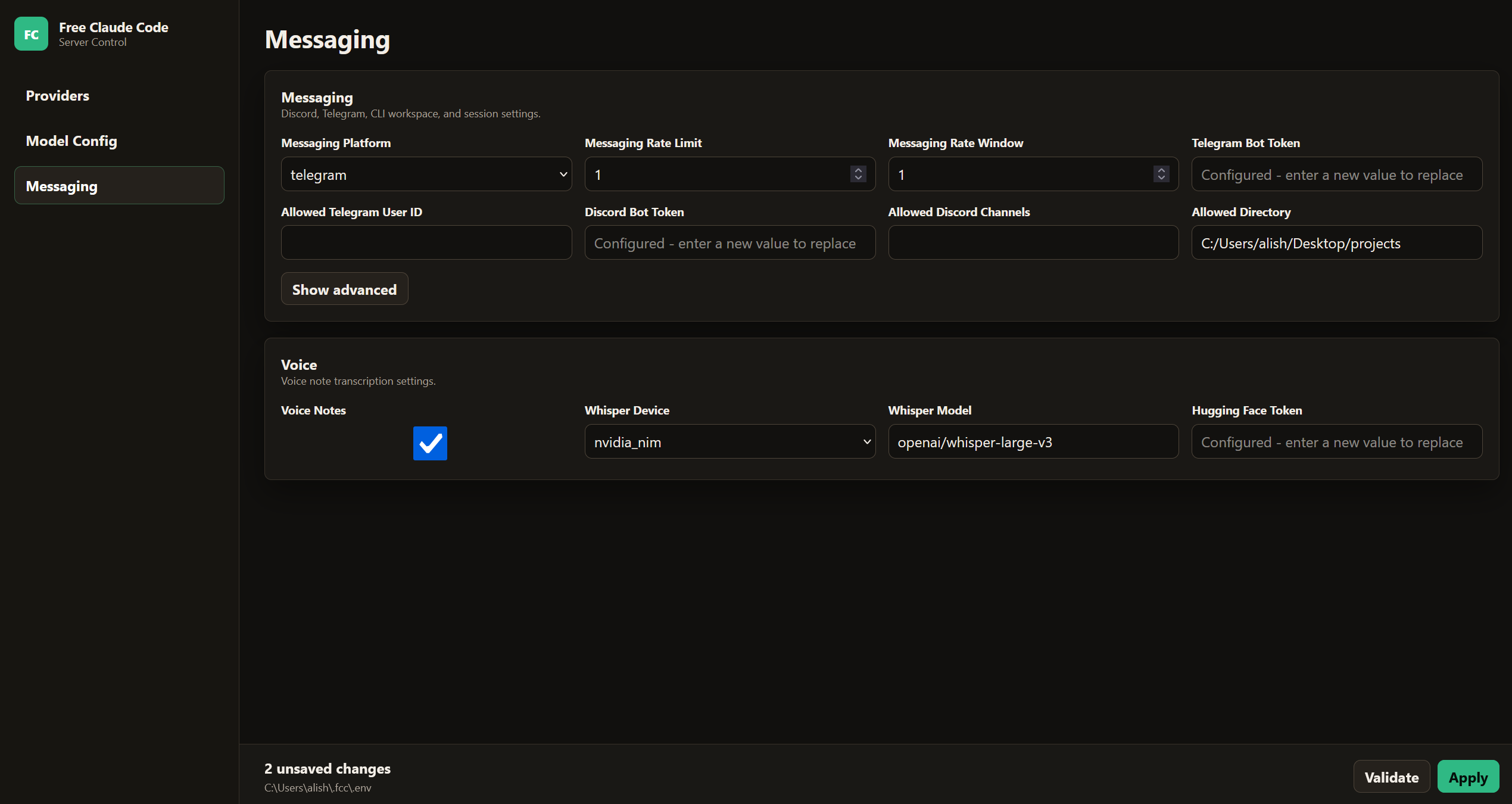
/clear can remove
user prompts.| Usage | Behavior |
|---|---|
/stats | Show session state. |
Standalone /stop | Cancel all work. |
Reply with /stop | Cancel only the selected request while other queued requests continue. |
Standalone /clear | Reset all FCC state and remove every tracked message in that chat, including user prompts, voice notes, FCC replies, Telegram's online notice, and the clear command itself. |
Reply with /clear | Delete the selected message and its literal platform reply subtree while preserving its ancestors and siblings. |
Re-run the installer with the voice backend you need.
macOS/Linux:
# NVIDIA NIM transcription
curl -fsSL "https://raw.githubusercontent.com/Alishahryar1/free-claude-code/main/scripts/install.sh" | sh -s -- --voice-nim

# Local Whisper on CPU or CUDA
curl -fsSL "https://raw.githubusercontent.com/Alishahryar1/free-claude-code/main/scripts/install.sh" | sh -s -- --voice-local

# Both backends
curl -fsSL "https://raw.githubusercontent.com/Alishahryar1/free-claude-code/main/scripts/install.sh" | sh -s -- --voice-all

# Local Whisper with the CUDA 13.0 PyTorch backend
curl -fsSL "https://raw.githubusercontent.com/Alishahryar1/free-claude-code/main/scripts/install.sh" | sh -s -- --voice-local --torch-backend cu130
Windows PowerShell:
# NVIDIA NIM transcription
& ([scriptblock]::Create((irm "https://raw.githubusercontent.com/Alishahryar1/free-claude-code/main/scripts/install.ps1"))) -VoiceNim

# Local Whisper on CPU or CUDA
& ([scriptblock]::Create((irm "https://raw.githubusercontent.com/Alishahryar1/free-claude-code/main/scripts/install.ps1"))) -VoiceLocal

# Both backends
& ([scriptblock]::Create((irm "https://raw.githubusercontent.com/Alishahryar1/free-claude-code/main/scripts/install.ps1"))) -VoiceAll

# Local Whisper with the CUDA 13.0 PyTorch backend
& ([scriptblock]::Create((irm "https://raw.githubusercontent.com/Alishahryar1/free-claude-code/main/scripts/install.ps1"))) -VoiceLocal -TorchBackend cu130
Restart fcc-server. In Admin UI → Messaging → Voice, enable voice notes, select cpu, cuda, or nvidia_nim, and choose the Whisper model. Local gated models need HUGGINGFACE_API_KEY; NVIDIA NIM transcription needs NVIDIA_NIM_API_KEY.
Re-run the matching command from Install Or Update.
Stop every running FCC command first. The uninstaller verifies every FCC command is gone before deleting its managed data.
Removes
~/.fcc/Keeps
macOS/Linux:
curl -fsSL "https://raw.githubusercontent.com/Alishahryar1/free-claude-code/main/scripts/uninstall.sh" | sh
Windows PowerShell:
& ([scriptblock]::Create((irm "https://raw.githubusercontent.com/Alishahryar1/free-claude-code/main/scripts/uninstall.ps1")))
MIT License. See LICENSE for details.
Public repository for Agent Skills