
Open Sources
Curated repos, tools, and frameworks shaping the developer ecosystem.
Live data from GitHub.
Curated repos, tools, and frameworks shaping the developer ecosystem.
Live data from GitHub.
by ericciarla
Stay on top of trending topics on social media and the web with AI
Stay on top of trending topics on social media — all in one place.
Trend Finder collects and analyzes posts from key influencers, then sends a Slack or Discord notification when it detects new trends or product launches. This has been a complete game-changer for the Firecrawl marketing team by:
Spend less time hunting for trends and more time creating impactful campaigns.
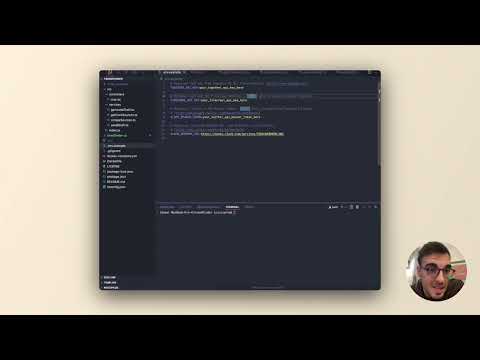
Learn how to set up Trend Finder and start monitoring trends in this video!
Data Collection 📥
AI Analysis 🧠
Notification System 📢
Copy .env.example to .env and configure the following variables:
# Optional: API key from Together AI for trend analysis (https://www.together.ai/)
TOGETHER_API_KEY=your_together_api_key_here

# Optional: API key from DeepSeek for trend analysis (https://deepseek.com/)
DEEPSEEK_API_KEY=

# Optional: API key from OpenAI for trend analysis (https://openai.com/)
OPENAI_API_KEY=

# Required if monitoring web pages (https://www.firecrawl.dev/)
FIRECRAWL_API_KEY=your_firecrawl_api_key_here

# Required if monitoring Twitter/X trends (https://developer.x.com/)
X_API_BEARER_TOKEN=your_twitter_api_bearer_token_here

# Notification driver. Supported drivers: "slack", "discord"
NOTIFICATION_DRIVER=discord

# Required (if NOTIFICATION_DRIVER is "slack"): Incoming Webhook URL from Slack for notifications
SLACK_WEBHOOK_URL=https://hooks.slack.com/services/YOUR/WEBHOOK/URL

# Required (if NOTIFICATION_DRIVER is "discord"): Incoming Webhook URL from Discord for notifications
DISCORD_WEBHOOK_URL=https://discord.com/api/webhooks/WEBHOOK/URL
Clone the repository:
git clone [repository-url]
cd trend-finder
Install dependencies:
npm install
Configure environment variables:
cp .env.example .env
# Edit .env with your configuration
Run the application:
# Development mode with hot reloading
npm run start

# Build for production
npm run build
Build the Docker image:
docker build -t trend-finder .
Run the Docker container:
docker run -d -p 3000:3000 --env-file .env trend-finder
Start the application with Docker Compose:
docker-compose up --build -d
Stop the application with Docker Compose:
docker-compose down
trend-finder/
├── src/
│   ├── controllers/    # Request handlers
│   ├── services/       # Business logic
│   └── index.ts        # Application entry point
├── .env.example        # Environment variables template
├── package.json        # Dependencies and scripts
└── tsconfig.json       # TypeScript configuration
git checkout -b feature/amazing-feature)git commit -m 'Add some amazing feature')git push origin feature/amazing-feature)Fair-code workflow automation platform with native AI capabilities. Combine visual building with custom code, self-host or cloud, 400+ integrations.
Build Agentic workflows, RAG pipelines, with rich AI model and tool support on one collaborative workspace. Deploy on cloud, VPC, or self-hosted, so teams move from prototype to production without rebuilding the stack.
A set of beautifully-designed, accessible components and a code distribution platform. Works with your favorite frameworks. Open Source. Open Code.