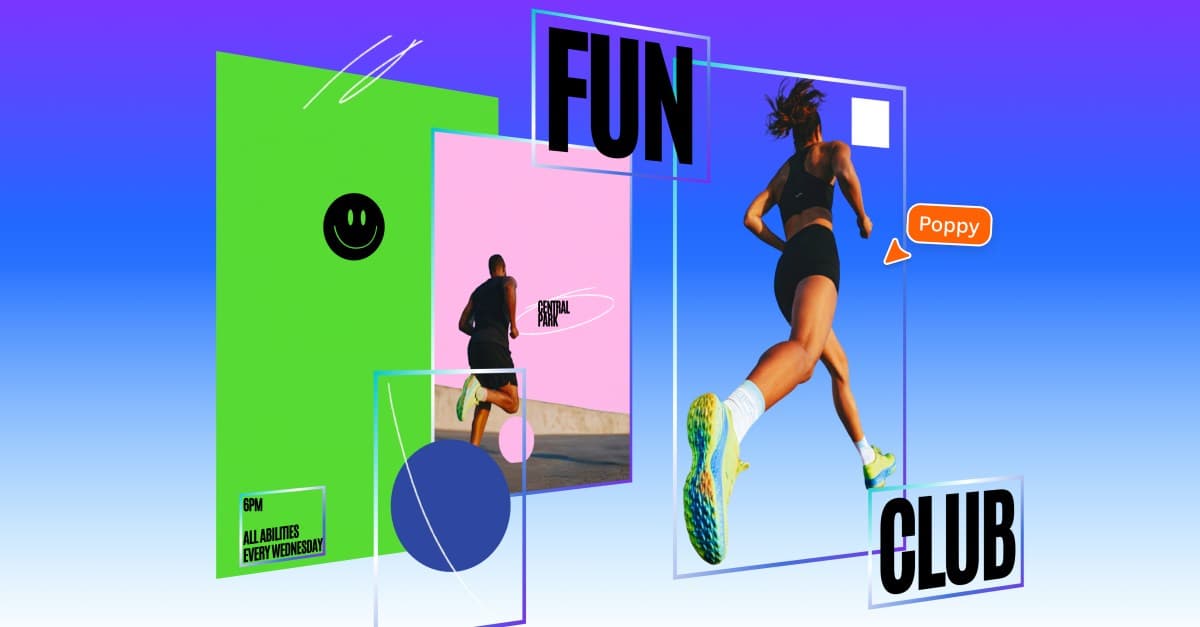
Canva has unveiled Magic Layers, a new editing tool that transforms flat image files, including those generated by AI, into fully editable, layered designs. This breakthrough addresses a significant pain point for creators by allowing individual elements like objects and text to be adjusted without the need for extensive reprompting, according to The Verge. The tool is launching in public beta in the US, UK, Canada, and Australia, offering a new level of control over digital art.
This capability is a direct response to a major challenge in generative AI workflows. Traditionally, if an AI-generated image wasn't quite right, users had to input new prompts and hope for a better result, often leading to frustrating cycles of trial and error. Magic Layers bypasses this inefficiency, offering a more intuitive and direct editing experience.
Cameron Adams, Canva's chief product officer, stated that "After a breakthrough from our AI research team, we’re introducing Magic Layers so anyone can take a flat image and turn it into a fully editable design inside Canva." He emphasized that "Generation is just the beginning - real creative freedom comes from being able to edit without losing momentum."
This approach stands in contrast to existing tools from competitors like Adobe. While Photoshop and Express allow generative AI elements to be added as distinct layers, they don't automatically dissect an entire flat image into editable components. This gives Canva users an edge in post-generation refinement, a crucial step when Adobe's survey found 86% of global creators now use generative AI.
The obvious question for many artists: how will this affect the authenticity of AI art? Previously, the "flat" nature of AI outputs was a telltale sign. With Magic Layers, discerning human-made art from AI-generated designs could become significantly harder, raising new considerations for attribution and originality. This feature offers enhanced manual control over small tweaks, which can be invaluable, especially when even experienced designers, like one who spent 20 hours on an AI-assisted logo for a restaurant, still face backlash for using AI, highlighting the ongoing tension in the creative community.
For Developers & Founders
Observe how Canva's Magic Layers impacts user engagement and retention. The public beta in key markets (US, UK, Canada, Australia) offers an early look at how users prioritize direct editing control over pure generation. Consider integrating similar "deconstruction" capabilities into your own AI-powered design tools to enhance user flexibility.
For Creative Professionals
Experiment with Magic Layers to streamline your workflow. The ability to modify existing AI outputs without reprompting can save significant time. However, be mindful of the ethical implications regarding the indistinguishability of AI-generated elements in your final work.
For Consumers & Hobbyists
Take advantage of the public beta to transform your own static images or AI art into customizable designs. This feature lowers the barrier to entry for complex edits, allowing you to personalize graphics without needing advanced design software expertise.
Magic Layers is a new AI-powered editing tool from Canva that converts flat images, including AI-generated ones, into fully editable, layered designs. This allows users to modify individual elements like text and objects without needing to regenerate the entire image, providing greater creative control.
Magic Layers analyzes a static image and deconstructs it into a multi-layered design within Canva's editor. This transforms what was once a single bitmap image into individual elements that can be manipulated, such as changing text or repositioning objects, offering a more intuitive editing experience.
Magic Layers is compatible with any single-page PNG or JPEG file. Its impact is particularly significant for AI-generated visuals, allowing creators to take images from any AI tool and transform them into editable Canva projects.
Canva's Magic Layers is currently launching in public beta in the US, UK, Canada, and Australia. This allows users in these regions to access and test the new feature, providing feedback as Canva continues to develop the tool.
Unlike Adobe Photoshop, which allows generative AI elements to be added as distinct layers, Canva's Magic Layers automatically dissects an entire flat image into editable components. This gives Canva users an advantage in post-generation refinement, streamlining the editing process.
More insights on trending topics and technology