Users can now transfer their chat history from other artificial intelligence (AI) assistants into Gemini, as announced by Google on November 19, 2026. This process involves importing preferences and uploading a ZIP file of past conversations to ensure a seamless transition between platforms.
This new feature helps users maintain continuity of their AI interactions, eliminating the need to start over when switching to Gemini. It aims to integrate existing context and preferences, making Gemini a more accessible option for those already engaged with other AI tools.
How Can Users Transfer Chat History to Gemini?
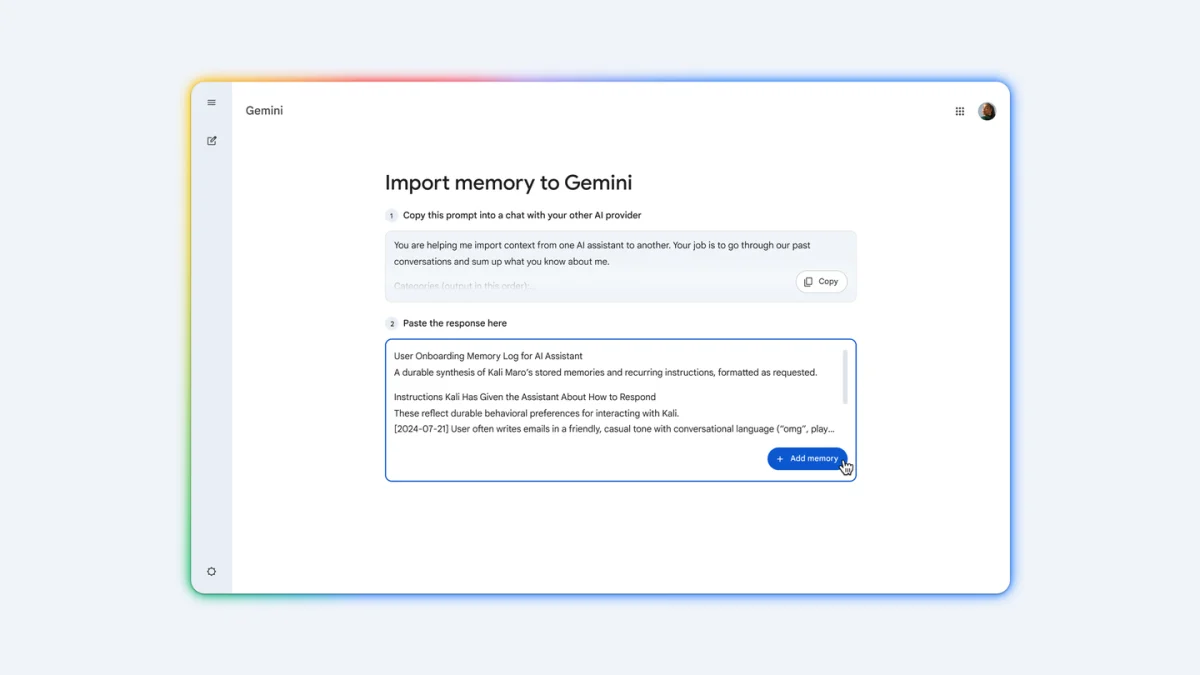
Users can transfer their chat history and preferences to Gemini through a multi-step import process. This allows Gemini to understand past interactions and adapt to individual user styles, retaining valuable context from previous AI assistant use.- Open Gemini import settings and copy the provided prompt.
- Paste the prompt into the previous AI tool to generate a summary of preferences.
- Paste the generated response back into Gemini.
- Export a ZIP file containing the chat history from the previous AI provider's account settings.
- Upload the ZIP archive within Gemini's settings to integrate past conversations.
Gemini's Enhanced Privacy Controls
Gemini has updated its privacy settings to provide more granular control over user data, separating chat history retention from the use of conversations for AI model training. This change allows users to save their conversations for personal reference without automatically contributing to Google's generative AI development efforts.The new settings, described in the Gemini Apps Privacy Hub on November 16, include a dedicated "History" setting. This control dictates whether chats are saved and for how long. By default, Google now deletes Gemini chat history after 18 months.
A separate control now exists for AI model training. This allows users to opt out of using their chat content, including photos and files, for improving generative AI models. Previously, a single "Keep Activity" setting managed both functions, requiring users who wanted to retain history to also permit training. Even if the history option is disabled, Gemini may temporarily save future chats for approximately two months to process feedback and support security, as highlighted by reports on AI security.
| Control Feature | Old 'Keep Activity' Setting | New 'History' Setting | New 'AI Training' Setting |
|---|---|---|---|
| Chat History Retention | Combined with AI Training | Independent control over duration (default 18 months) | Not applicable |
| AI Model Training | Combined with History Retention | Not applicable | Independent control over data usage |
| Data Covered | Chats, attachments | Chats, attachments | Chats, photos, files, audio, location data |