
Open Sources
Curated repos, tools, and frameworks shaping the developer ecosystem.
Live data from GitHub.
Curated repos, tools, and frameworks shaping the developer ecosystem.
Live data from GitHub.
A team of Claude agents doing real work on your code, inside a Minecraft studio you can walk around in.
Powered by Claude
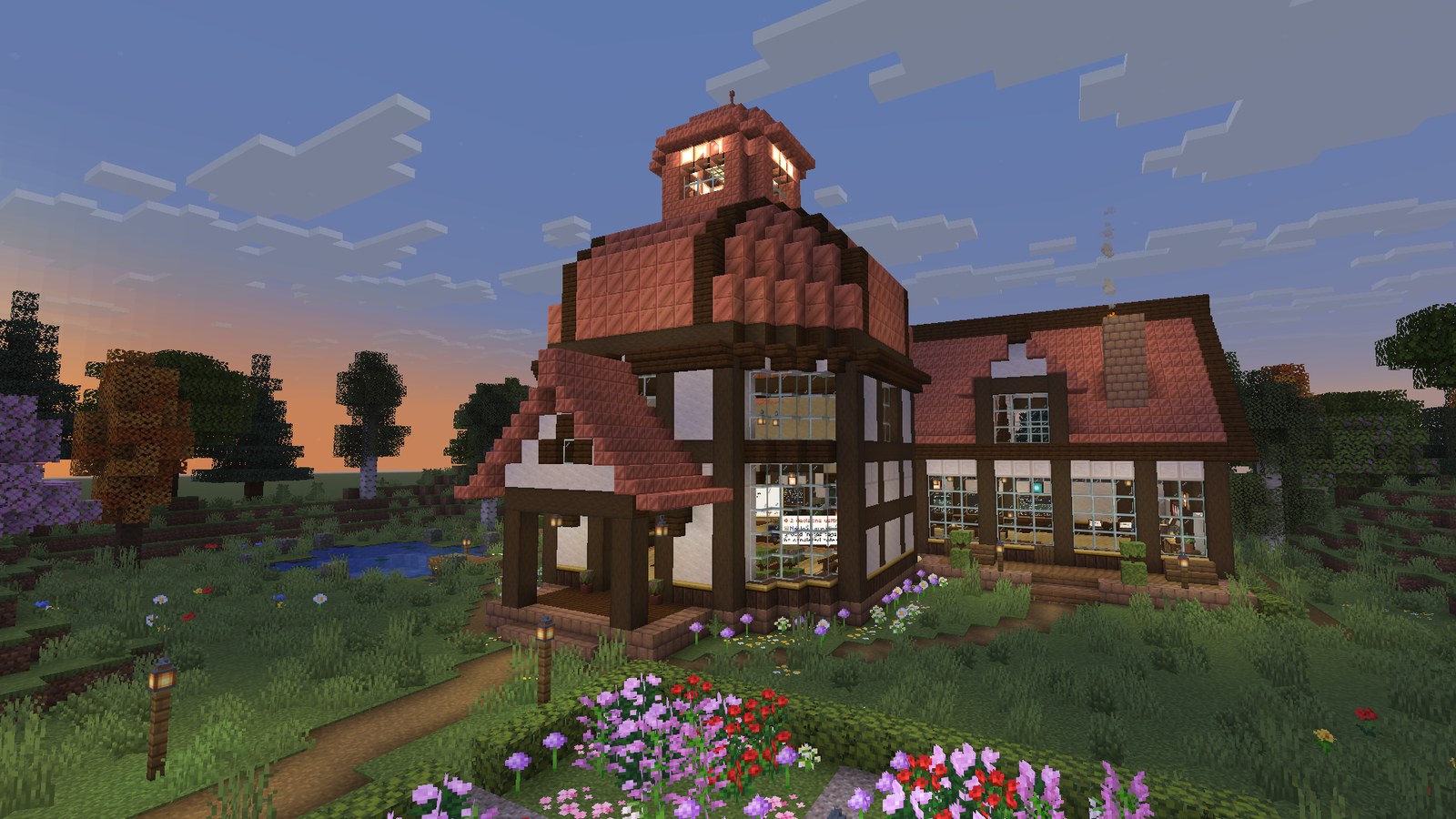
Multi-agent coding usually means a wall of terminal text. AgentCraft turns it into a place.
You type a goal. A lead agent reads your repo, writes a plan and pins tasks to a wall. Workers walk to their desks, sit down and start coding in their own git worktrees while their monitors stream every file they read and every line they change. When a call is genuinely yours, an agent walks over to you with a question. When work is ready, you review the real diff and press Merge. Nothing touches your branch without that click, and nothing is ever pushed.
Close the game and the agents keep working. Open it again and the studio catches up.
|
1. You give a goal. Press 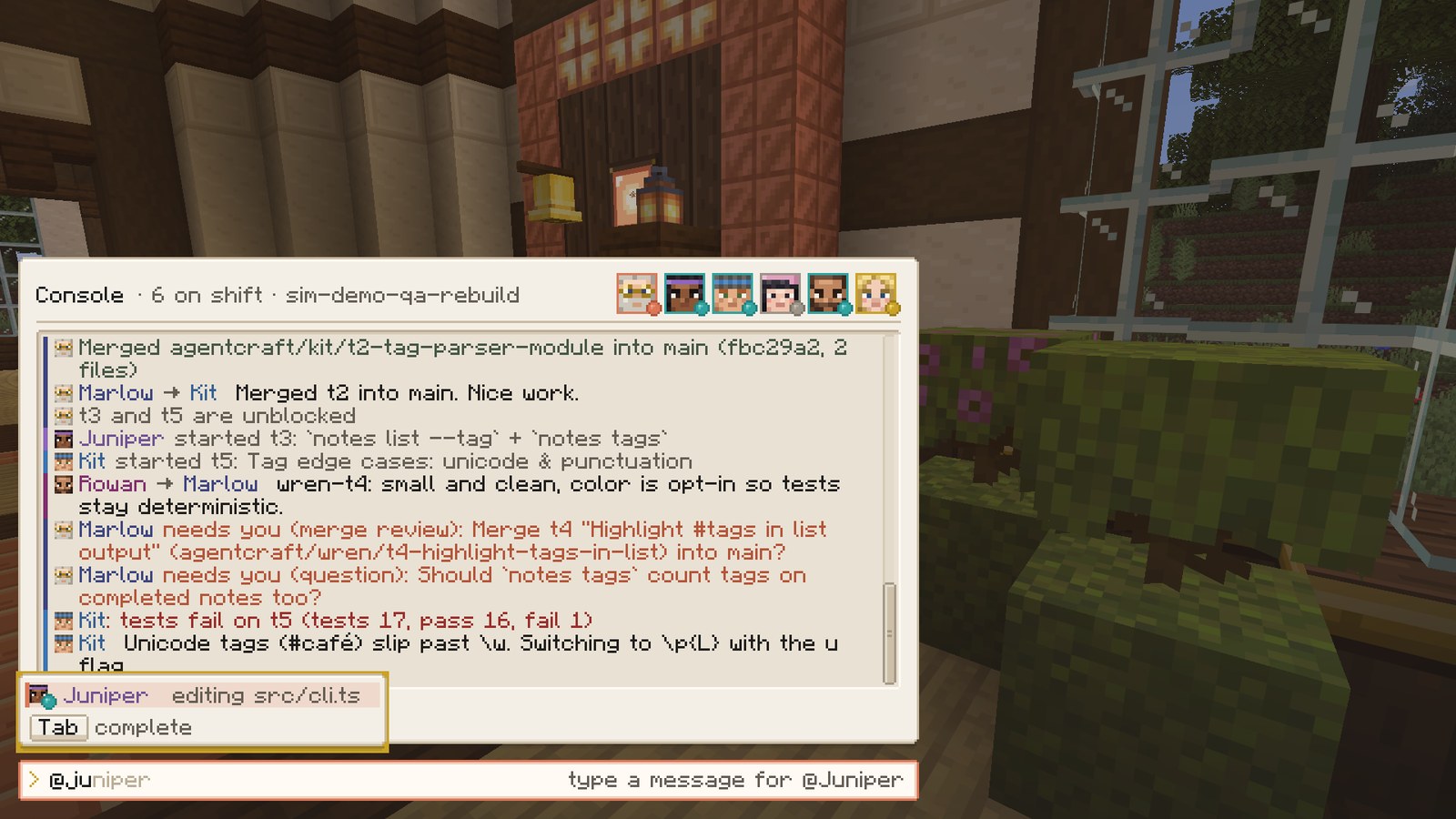
|
2. The lead plans. Marlow splits the goal into tasks with dependencies. They land on the Task Wall, and the plan goes into the shared library. 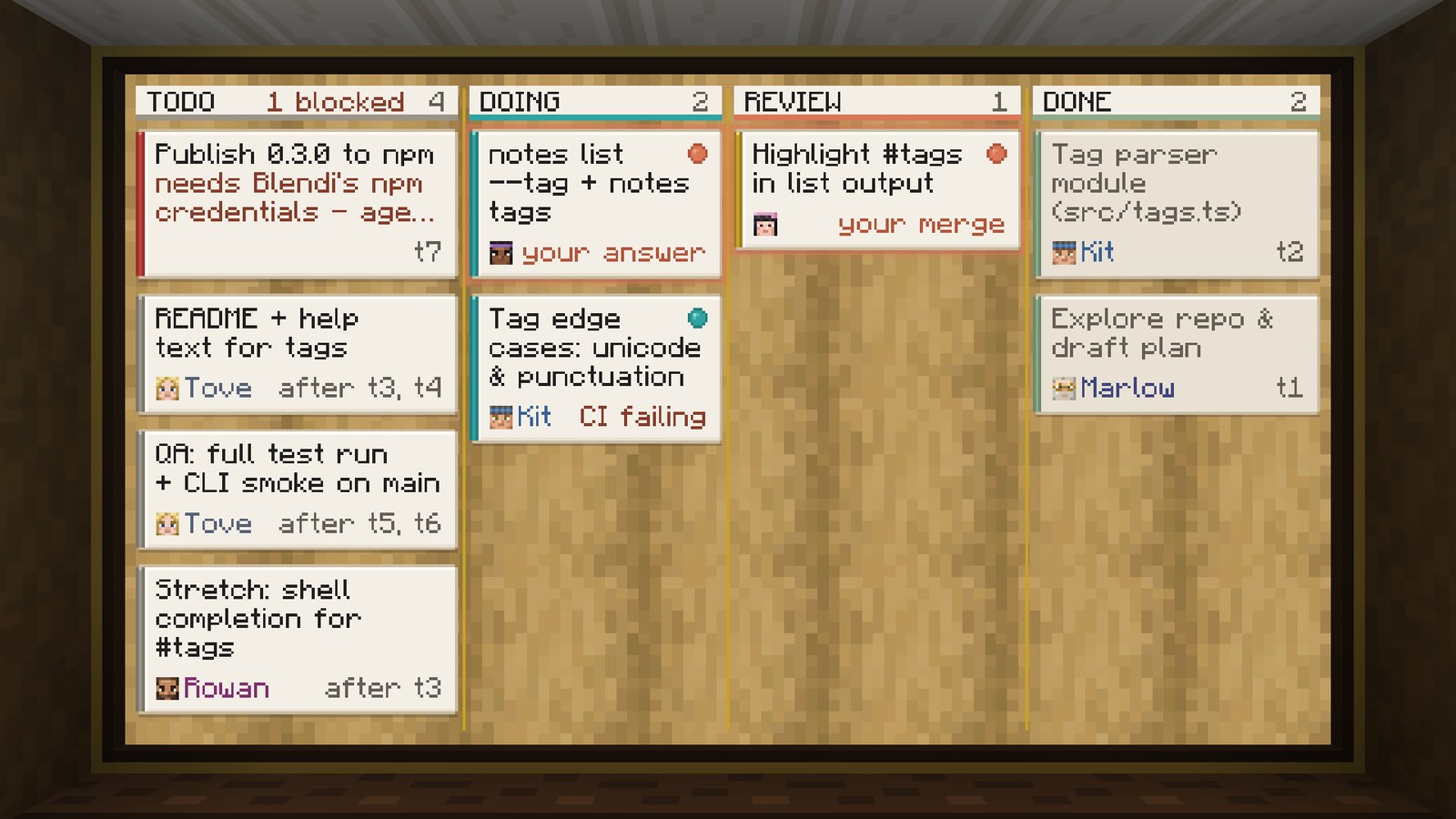
|
|
3. The team builds. Each worker codes in its own worktree. Monitors stream the live log: tool calls, test runs, red and green diffs. 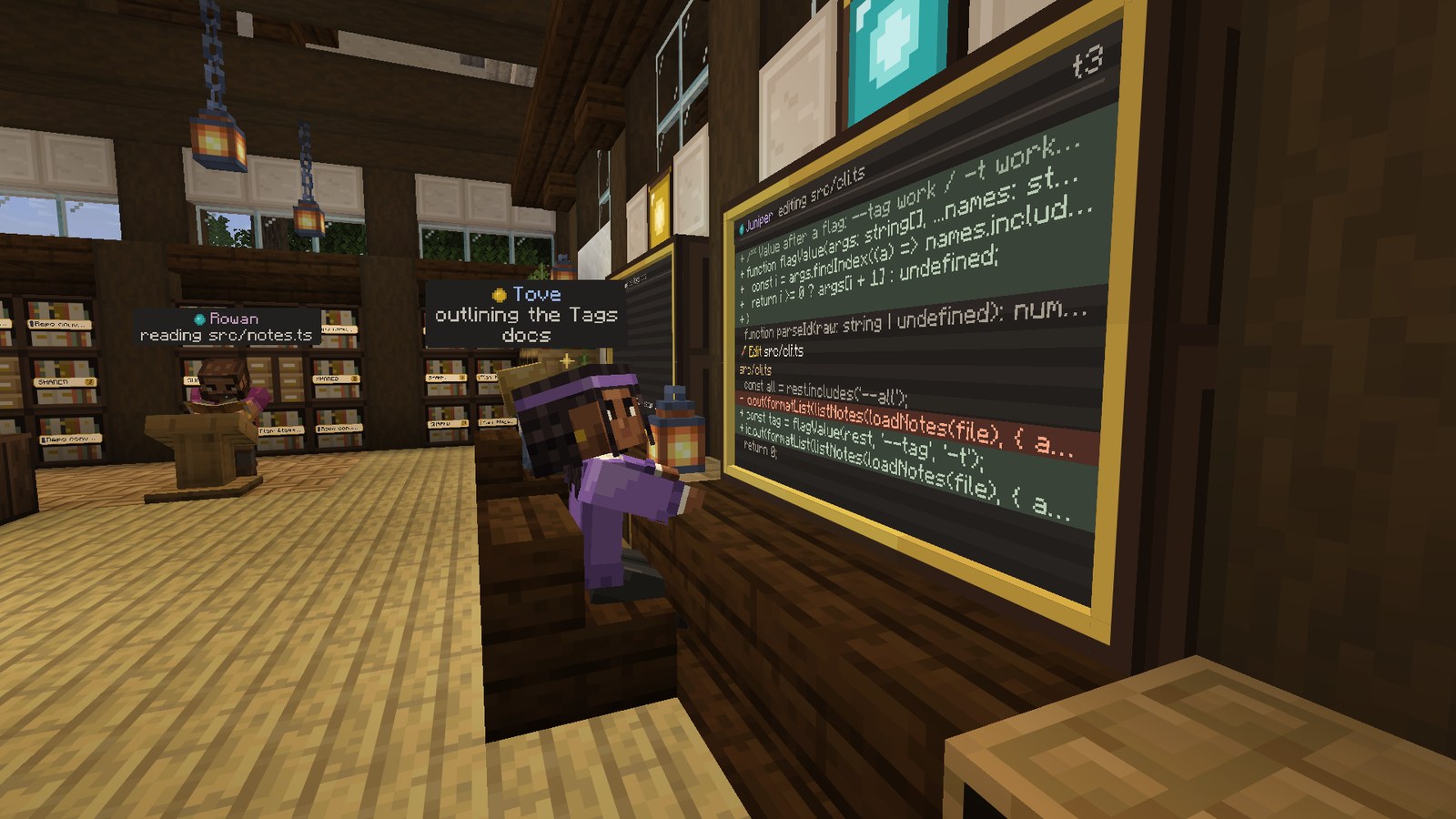
|
4. They come to you. A clay ! appears, the bell rings, the agent walks to the podium. Press J to answer. 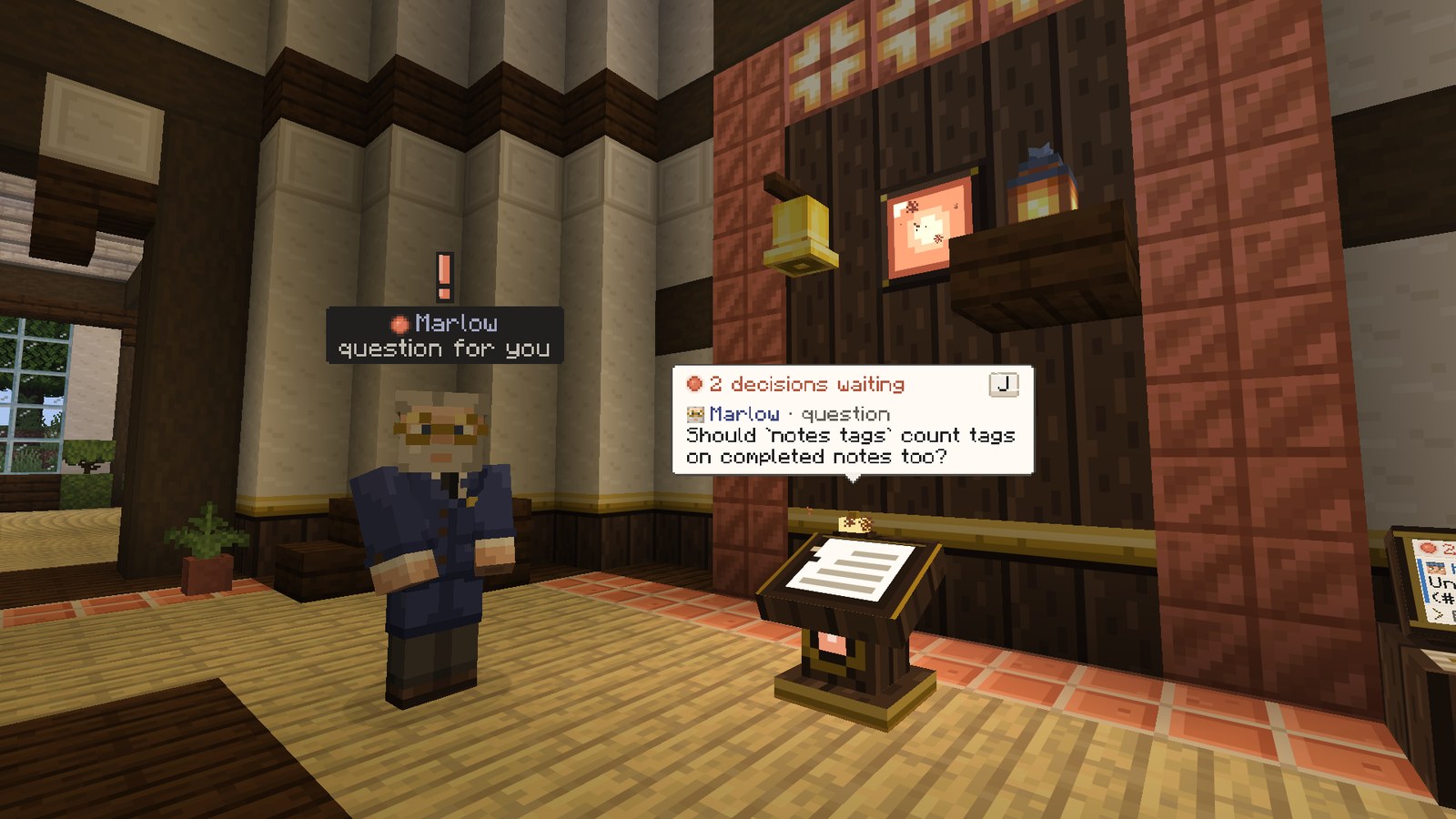
|
|
5. You review and merge. A real code review screen: file list, line numbers, collapsed context, the worker's summary and the reviewer's notes. 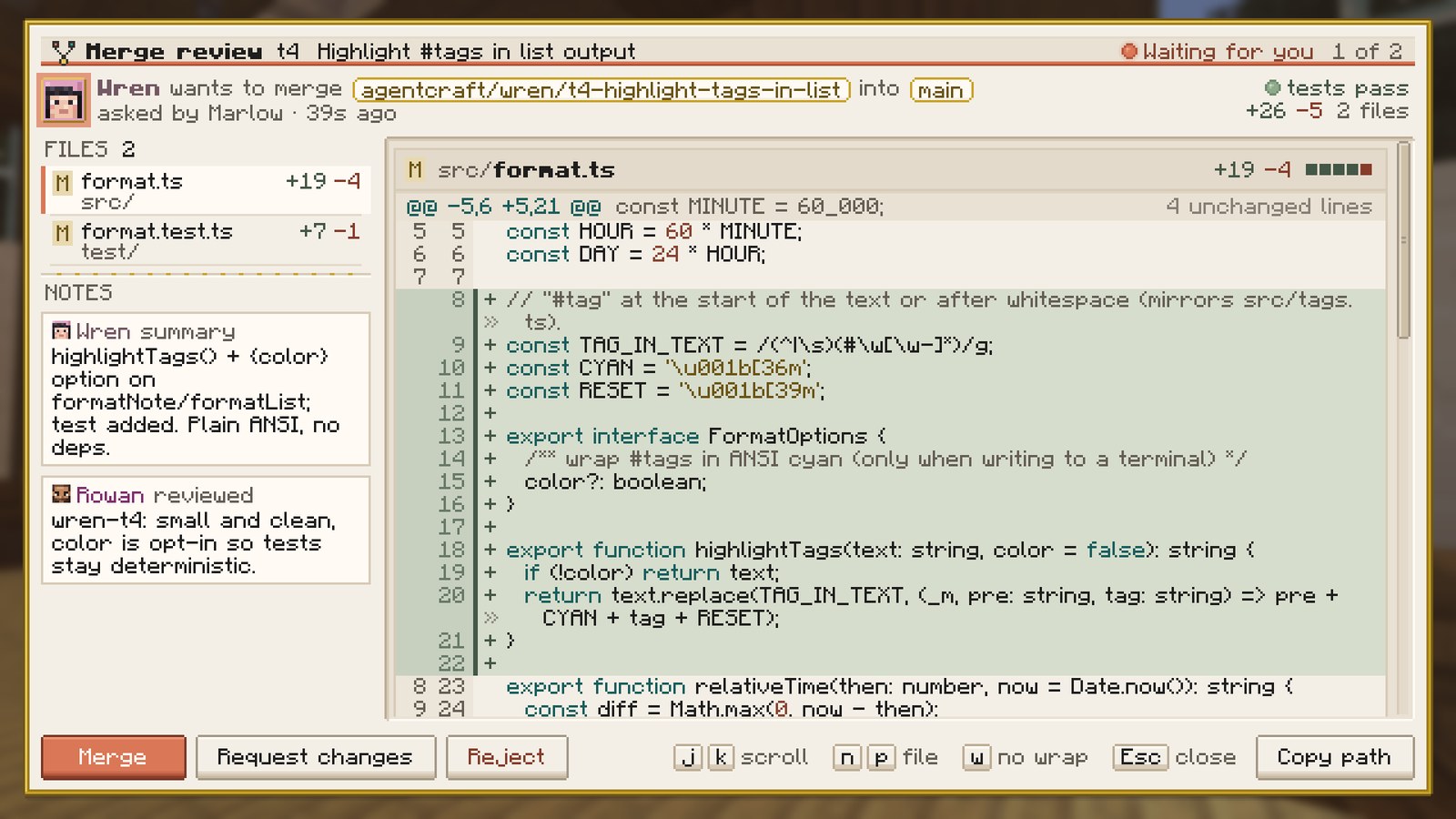
|
6. Memory stays shared. The lead's plan, decisions and repo conventions live in a library every agent reads, and you can too. 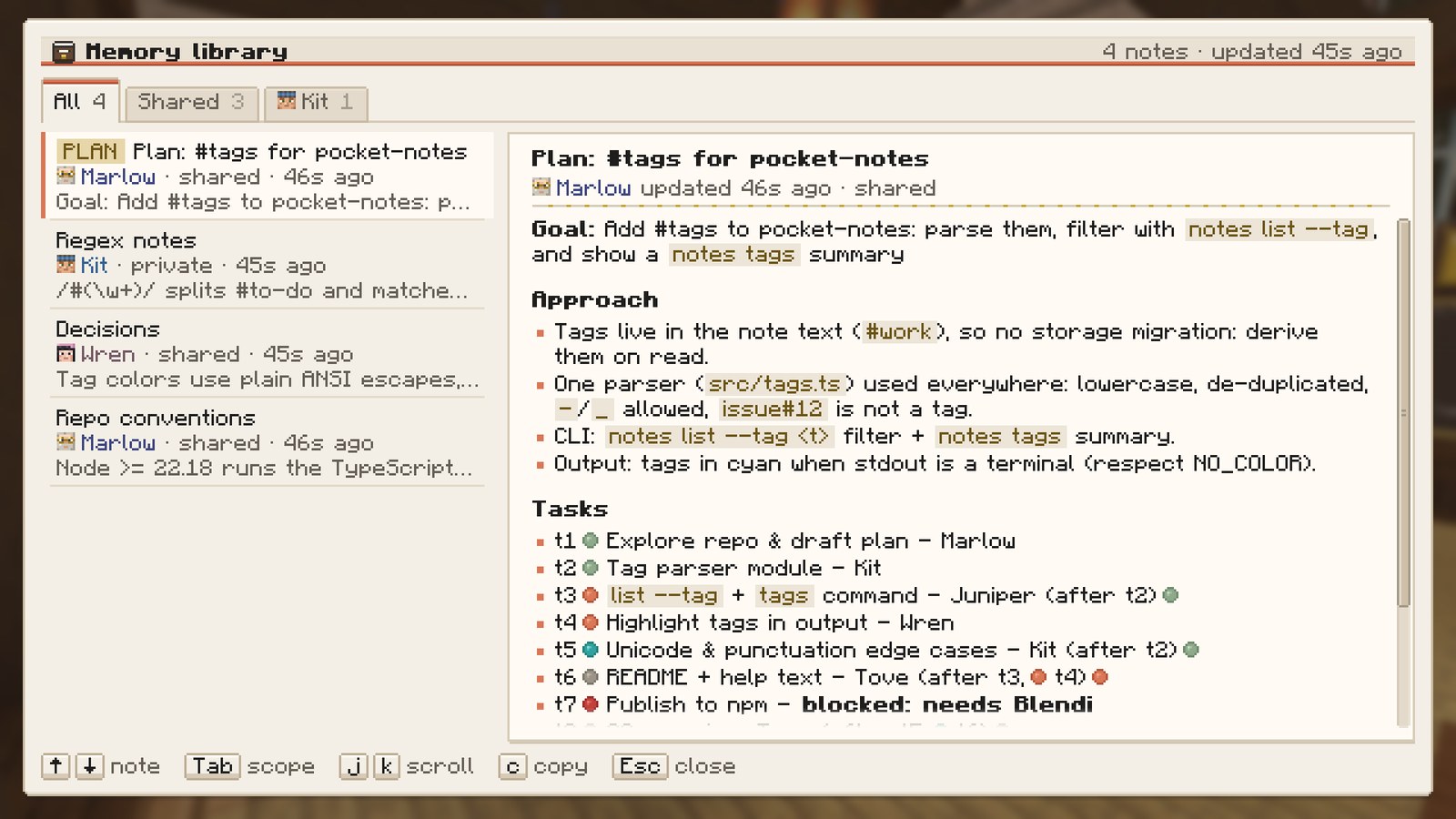
|
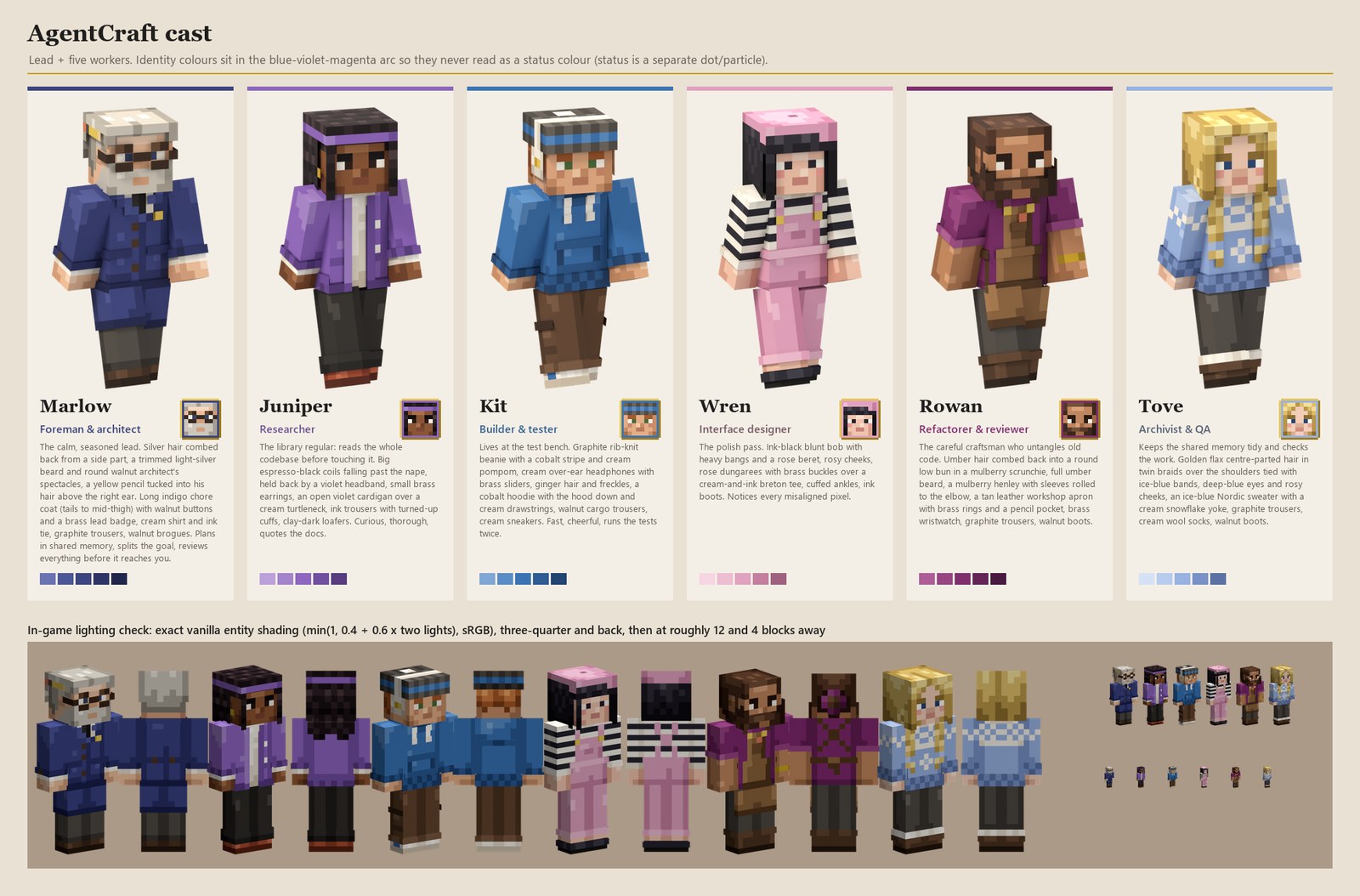
Six hand-pixelled characters, each with their own silhouette and colour. Marlow leads: he plans, splits work and reviews. Juniper, Kit, Wren, Rowan and Tove build. They walk the studio with real pathfinding, sit at their desks while they type, show what they are doing with small particles and nameplates, talk in speech bubbles, and come find you when they need a decision.
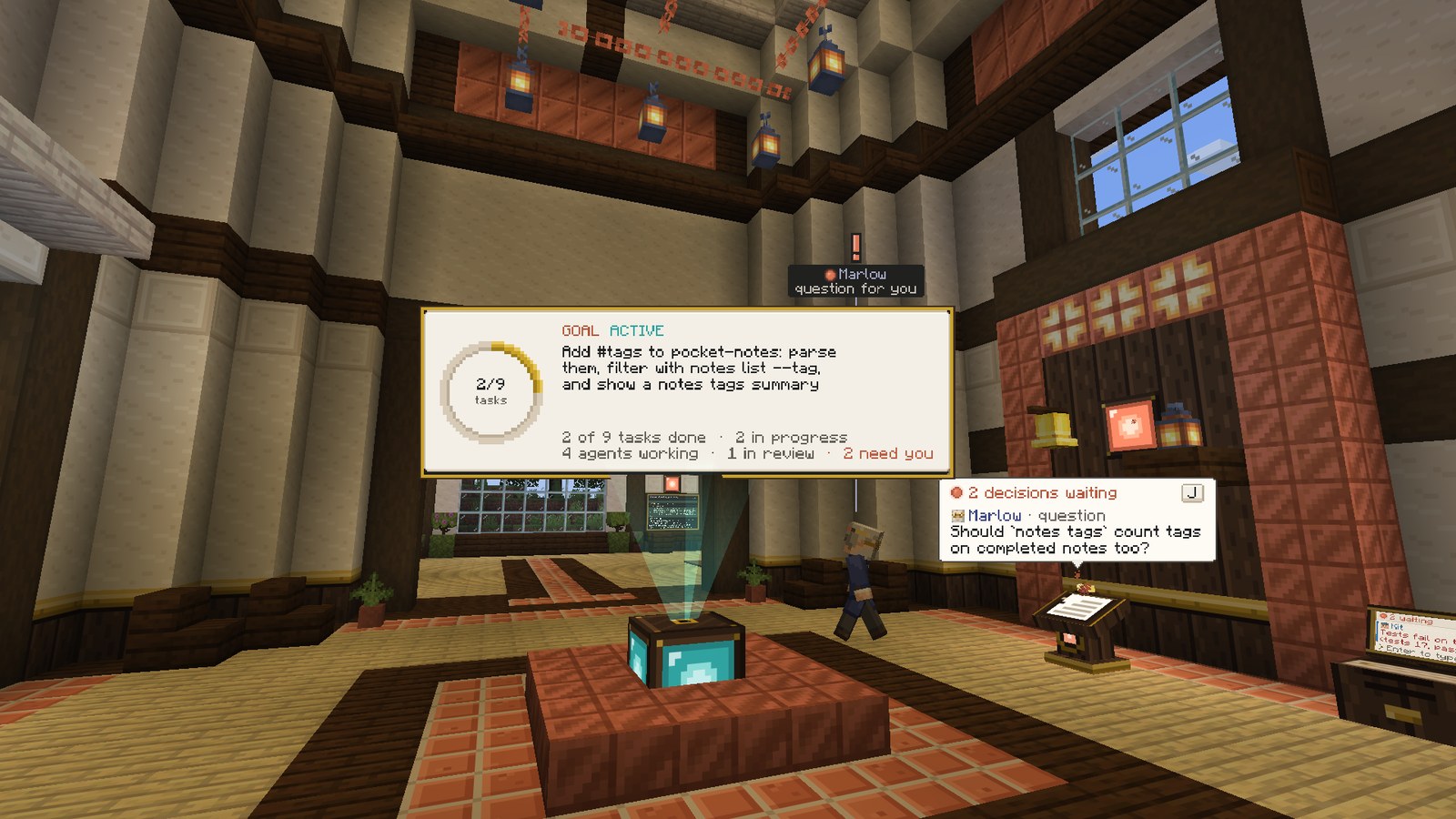 | 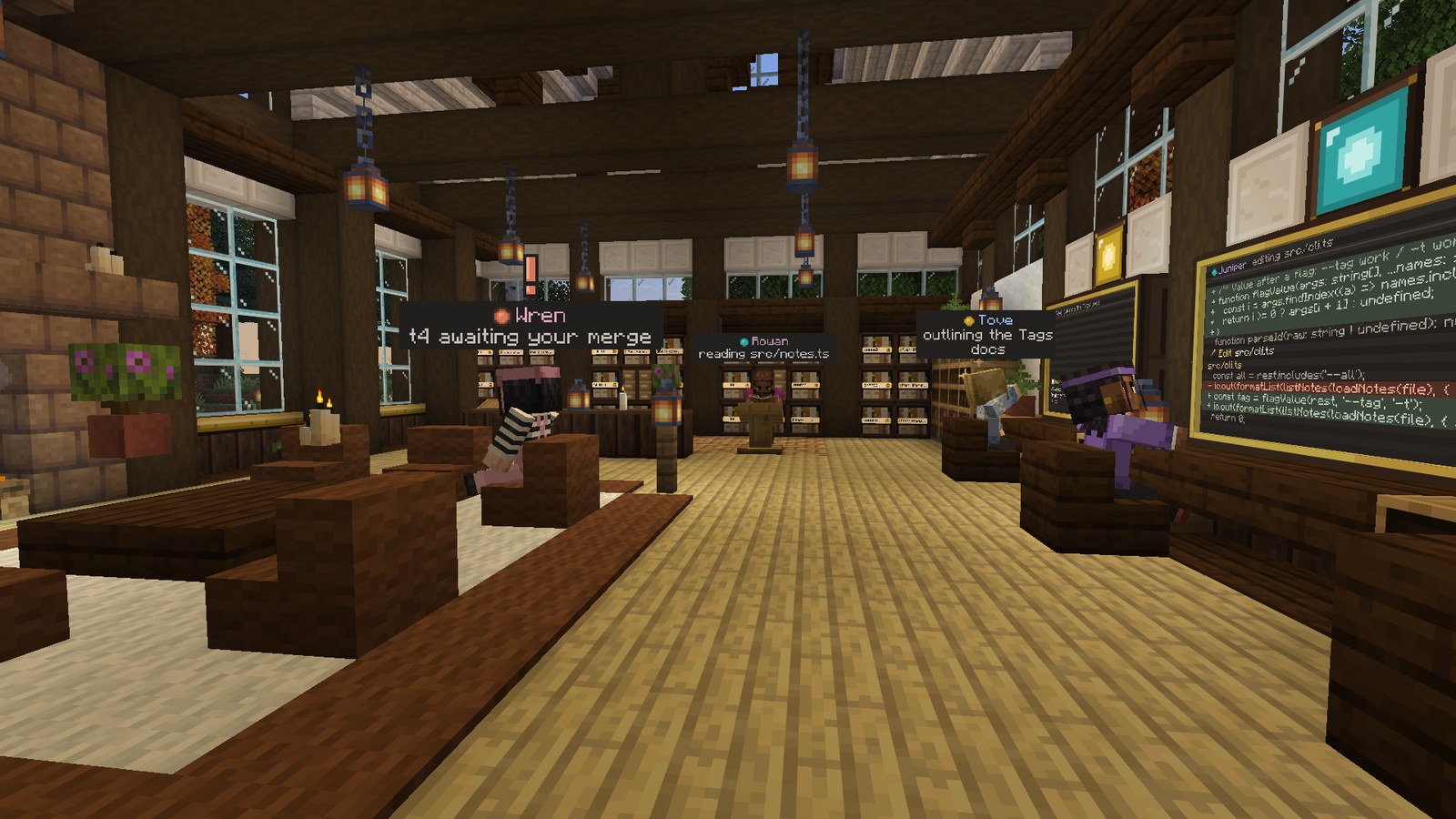 |
| The Goal Atrium. Progress ring, task counts, and how many decisions need you. | The studio floor. Desks, status lamps, the library and the lounge. |
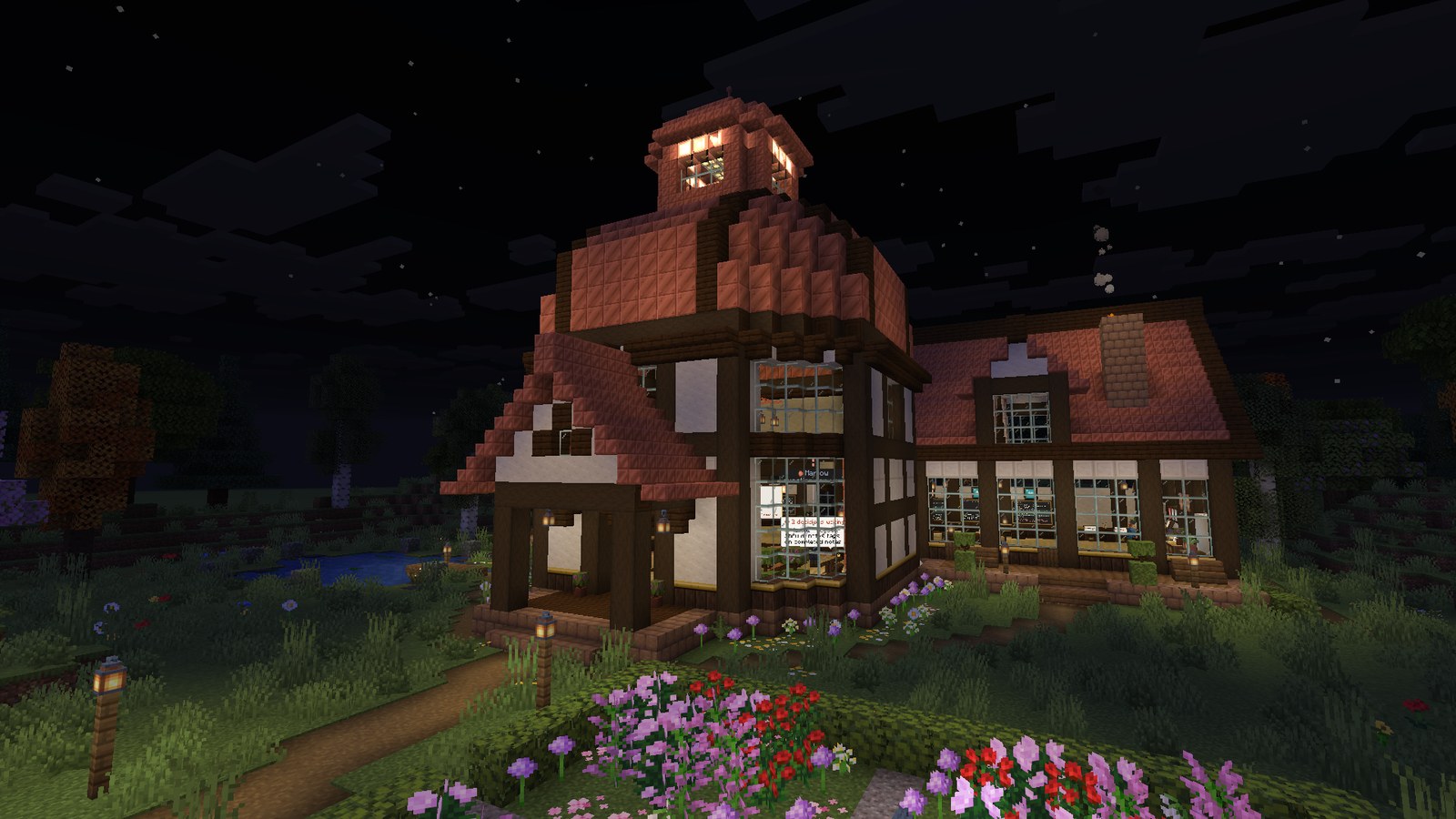
Everything is information you can read at a glance. Far away, the lamps and the cupola beacon tell you who is working, who is stuck and who is waiting on you. Closer, nameplates and cards tell you what. Up close, monitors and screens tell you exactly how.
This is not a mockup. These screenshots come from a real run with Claude agents on a sample repo, driven entirely through the game: a goal typed into the console, questions and permission prompts answered in game, merges reviewed in the diff screen, including a merge conflict sent back to the worker and resolved. The game was restarted mid run and the Foreman was taken offline and brought back. Six features landed in the repo with its tests passing.
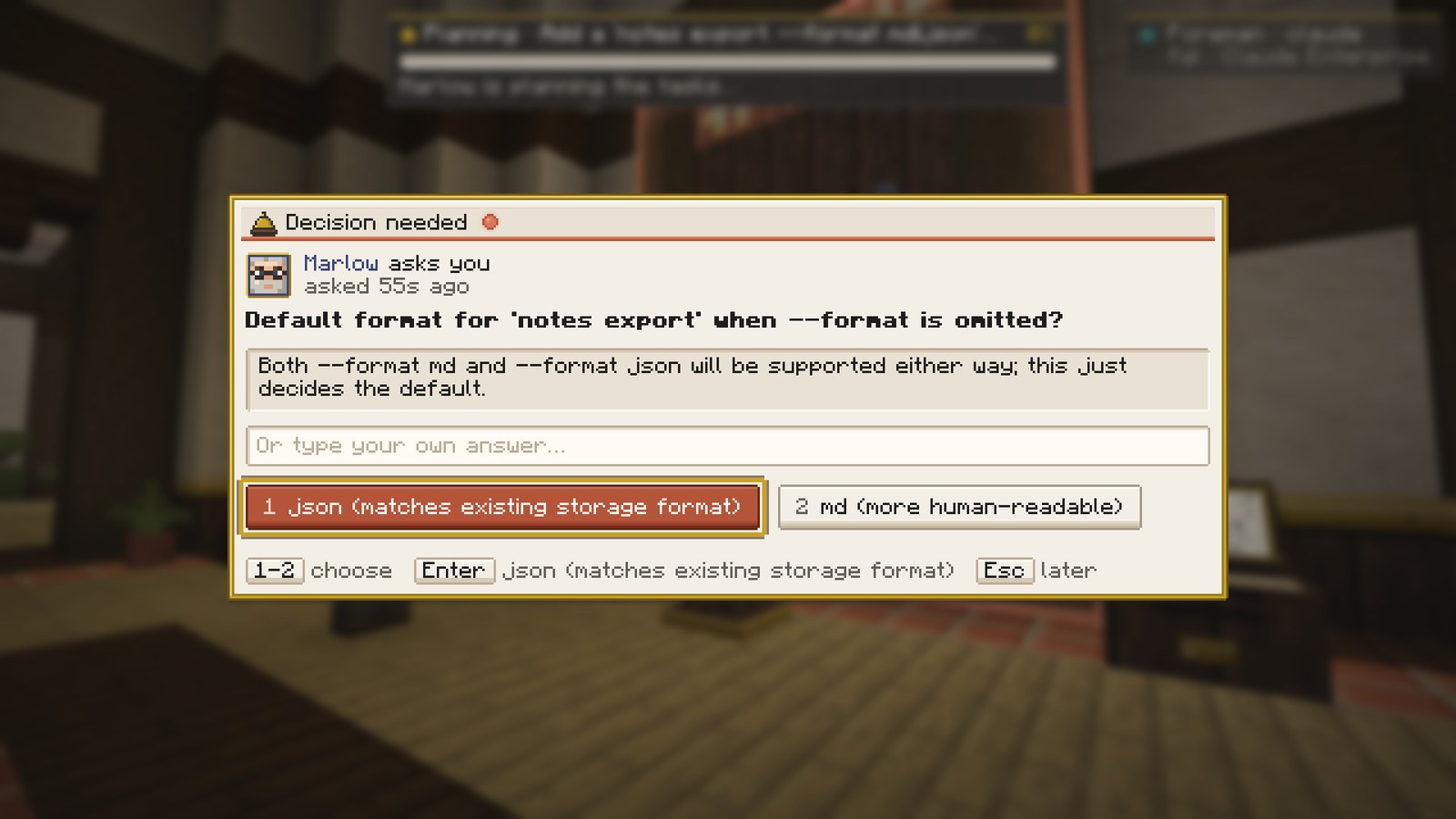 | 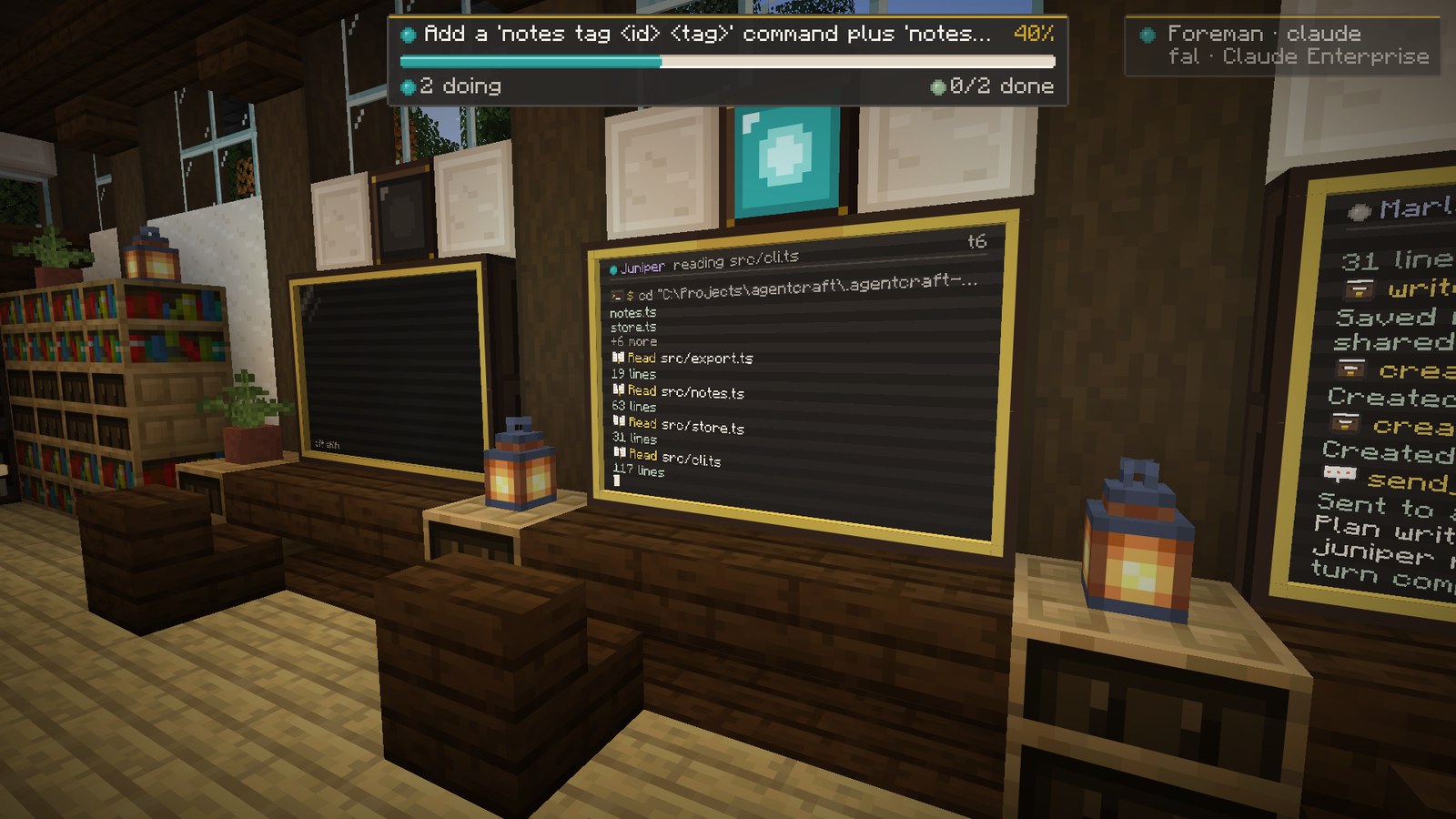 | 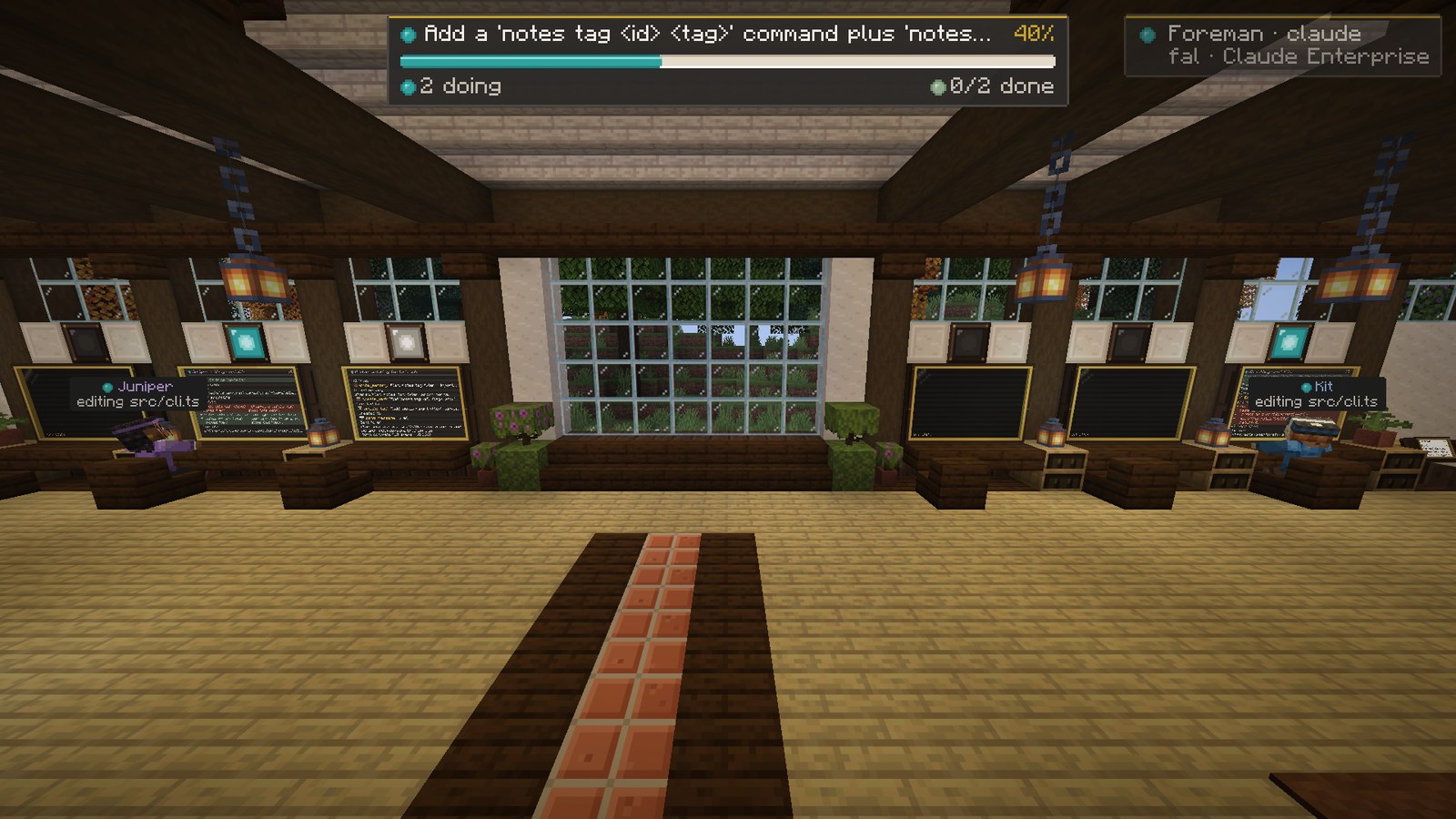 |
| Marlow asks which default export format to use. | A worker's monitor streaming its live log. | Back online after a Foreman restart, the team resumes. |
AgentCraft is built to point at code you care about.
agentcraft/<agent>/<task>. Your
checkout is never touched by an agent.AgentCraft <Name>. Only the merge you approve is made as you.You need: Windows 10 or 11, or macOS, Java 25, Node 22+, git, and a copy of Minecraft: Java Edition.
For the real agents you need Claude API access, either of these:
ANTHROPIC_API_KEY: create a key at console.anthropic.com, then
setx ANTHROPIC_API_KEY sk-ant-... and open a new terminal.CLAUDE_CODE_USE_BEDROCK=1), Google
Vertex AI (CLAUDE_CODE_USE_VERTEX=1) or Microsoft Foundry (CLAUDE_CODE_USE_FOUNDRY=1), with that
provider's usual credentials.Then:
git clone https://github.com/blendi-remade/agentcraft
cd agentcraft

tools\launch.ps1 -Backend sim                    # try it first: a simulated team, no API usage
tools\launch.ps1 -Repo C:\path\to\your\repo      # real agents on your repo
tools\stop.ps1                                   # stop everything launch.ps1 started
On macOS, install Java 25 with brew install openjdk@25, then run from the checkout
(the script selects that JDK without changing your system Java):
node tools/mac.mjs launch --backend sim                 # try the studio without API usage
node tools/mac.mjs stop --profile sim
node tools/mac.mjs launch --repo /path/to/your/repo --use-claude-login
node tools/mac.mjs stop
The macOS launcher installs npm dependencies on first run, downloads Minecraft and Fabric
through Gradle, starts the Foreman and game in the background, and waits for the studio world.
Use --dev for a muted client that does not take focus; --no-game starts only the Foreman.
See tools/README.md for options and logs.
The first launch installs npm dependencies and lets Gradle download Minecraft and Fabric, which
takes a few minutes. After that, a launch reaches the studio in under a minute. The HQ builds itself
the first time; in an older world, rebuild it with /agentcraft hq.
Personal use with Claude Code. If you already use Claude Code,
tools\launch.ps1 -UseClaudeLoginruns the agents on your ownclaudeCLI login instead of an API key. Anthropic does not allow third party tools to offer claude.ai login to their users, so this is off by default and meant for running AgentCraft yourself. To make it permanent for yourself, put{"claude": {"useClaudeLogin": true}}in~/.agentcraft/config.json.
Your name. The agents call you by your OS user name. Change it with
-ForemanArgs '--user-name','Sam', AGENTCRAFT_USER_NAME, or {"userName": "Sam"} in
~/.agentcraft/config.json.
| Key | What it does |
|---|---|
| ` | Open the console |
| J | Answer decisions: questions, permission prompts and merges, oldest first |
| Enter on a terminal block | Open the console |
| Right click an agent | Agent card: state, task, recent log, message, pause, stop |
| Right click the podium, merge station, archive or a task card | Decisions, diff review, memory library, task details |
All keys can be rebound in Options, Controls.
Console commands. Plain text starts a new goal. @name message talks to an agent.
| Command | |
|---|---|
/answer [d4] <n or option> [text] | Answer an open decision |
/diff [worktree or @agent] | Review a worktree's changes |
/status | Goal, agents, tasks, decisions and spend |
/pause @x, /resume @x | Pause an agent, keeping its task |
/stop @x, /spawn @x [task] | Take an agent off shift, or bring one on |
/repo add <path>, /repos | Register and list repos |
/help | Everything else |
flowchart LR
    subgraph game ["Minecraft (Fabric mod)"]
        HQ["HQ, agents, monitors,<br/>Task Wall, podium"]
        UI["Console, decisions,<br/>diff review, library"]
    end
    subgraph foreman ["Foreman (Node + TypeScript)"]
        Team["Lead + workers<br/>(Claude Agent SDK)"]
        State["Task graph, messages,<br/>memory, decisions"]
        Git["Worktrees, diffs,<br/>approved merges"]
    end
    Repo[("Your git repo")]
    game <-->|"WebSocket, localhost only"| foreman
    Team --> Git --> Repo
foreman/) runs the agents and owns all the state: tasks and their
dependencies, messages, shared memory, decisions and worktrees. Everything is saved to disk and
Claude sessions resume by id, so it survives restarts and crashes.mod/) is the window and the controls. It draws what the Foreman knows and sends
back what you decide. If the game closes, no work is lost.--workers./status and the console header.npm run check.The claude backend bills per token to your Anthropic or cloud provider account. A small goal costs a few dollars. For a cheaper team:
tools\launch.ps1 -Repo C:\path\to\repo -ForemanArgs '--model','sonnet','--effort','low','--workers','juniper,kit'
Measured with those settings on the sample repo: three two task goals, including two merge conflicts the workers resolved, took 2 to 10 minutes each and about $6 in total. The sim backend is free.
| Path | What lives there |
|---|---|
foreman/ | The orchestrator: agents, task graph, memory, decisions, git safety, 482 tests |
mod/ | The Fabric mod: HQ builder, agents, displays, screens, HUD |
assets-src/ | Scripts that generate every skin, block texture and UI sprite |
tools/ | Launcher, stop script, DevBridge CLI, screenshot and QA runner |
docs/ | Protocol reference, QA guide, design notes |
cd foreman; npm test                       # 482 tests
cd mod; .\gradlew.bat build                # the mod
node tools/qa.mjs --home .agentcraft-home  # capture the 10 shot QA gallery
Every visual in this README was captured in game through the DevBridge, a small localhost API in the mod that scripts use to move the camera and take screenshots. Start with mod/DEV.md and mod/FEATURES.md for the mod, foreman/README.md for the orchestrator and docs/QA.md for the screenshot suite.
AgentCraft is young and has been used by one person on one machine. Today it is:
gradlew runClient). A regular mod release for normal
launchers is planned.Issues and ideas are welcome.
MIT. All art (skins, block textures and UI sprites) is generated by the scripts in
assets-src/ and is covered by the same license. Minecraft is not included: Gradle downloads it from
Mojang for development, and players need their own copy of Minecraft: Java Edition. AgentCraft is
not affiliated with Mojang, Microsoft or Anthropic.
The agent that grows with you